
I’ll be straight with you — when I first started working with WooCommerce stores, I completely ignored cart abandonment. I figured if someone left, they left. No big deal.
Then I actually looked at the numbers.
Seven out of every ten people who add a product to a WooCommerce cart never complete the purchase. That’s not a rounding error — that’s the majority of your potential customers walking out the door. According to Baymard Institute’s analysis of 50 studies, the global average cart abandonment rate sits at 70.22% in 2026. And on mobile? It climbs even higher, to around 80%.
Once I understood the scale of the problem, I started testing abandoned cart recovery plugins seriously. And the results were eye-opening. A single well-timed recovery email sequence can bring back 10–15% of those lost carts — and when you’re talking about hundreds or thousands of monthly visits, that’s real, recoverable revenue sitting on the table.
In this article, I’ll cover what cart abandonment actually is, why it matters so much, and which WooCommerce plugins I genuinely recommend for recovering those lost sales in 2026.
What Is Cart Abandonment in WooCommerce?
Cart abandonment happens when a shopper adds one or more products to their WooCommerce cart — or even starts filling in the checkout form — and then leaves your site without completing the purchase.
It sounds simple, but it’s important to understand that not all cart abandonment is the same. Some shoppers are browsing and using the cart like a wishlist. Others got distracted mid-checkout. Some hit a wall when they saw the shipping cost at the last step. And a few simply ran out of time.
In WooCommerce, a cart is typically considered “abandoned” after a set period of inactivity — usually 15 to 60 minutes, depending on the plugin you use. Once that threshold is crossed, the plugin captures the cart data (items, quantities, customer email if captured) and triggers your recovery workflow.
The most important thing to understand: you can only recover carts where you have the customer’s email address. This is either captured at login (for registered users) or at the email field during checkout (for guests). This is why some plugins focus heavily on capturing the guest email as early as possible in the checkout process — the sooner you have it, the more carts you can recover.
Why Recovering Abandoned Carts Matters
Let me put this in concrete terms.
Say your WooCommerce store does $20,000 in monthly revenue and has a 70% cart abandonment rate. That means roughly $46,600 worth of carts are being abandoned every month. If a solid recovery plugin brings back even 10% of those, that’s an extra $4,600/month — from customers who already showed intent to buy.
The numbers on recovery emails are compelling too. Studies consistently show that abandoned cart emails have an open rate of 40–45% — significantly higher than regular marketing emails. Around 21% of recipients click through, and roughly 10% of those who engage with a recovery email end up completing their purchase.
The most common reasons shoppers abandon carts in 2026, according to Baymard Institute, are:
- Unexpected shipping costs at checkout (39% of abandoners)
- Required account creation (24%)
- Checkout process too long or complicated (18%)
- Couldn’t see total cost upfront (17%)
- Didn’t trust the site with card details (19%)
Some of these are checkout UX problems that no plugin can fix — but for the shoppers who left due to distraction, comparison shopping, or hesitation, a well-timed recovery email with the right incentive is often all it takes to bring them back.
What to Look for in a WooCommerce Cart Recovery Plugin
Before I get into the specific recommendations, here’s what I evaluate when choosing an abandoned cart plugin:
Email sequence control — Can you send a multi-step sequence (e.g., 1 hour, 24 hours, 3 days) with different messaging at each stage? A single email is rarely enough.
Guest cart recovery — Does the plugin capture email addresses for guest shoppers? This dramatically increases the pool of recoverable carts.
Coupon and discount automation — Can you automatically include a discount code in a specific email (e.g., 10% off in the third email as a last resort)?
Reporting and analytics — Can you see how many carts were recovered, which emails performed best, and what revenue was attributed to recovery?
Ease of setup — Some plugins are overkill for small stores. The best ones let you get a basic sequence live in under 30 minutes.
Pricing vs. value — Free plugins can be excellent for getting started. Paid options earn their cost when the recovered revenue consistently exceeds the subscription fee.
With those criteria in mind, here are my top picks for 2026.
6 Best WooCommerce Abandoned Cart Recovery Plugins in 2026
1. Cart Abandonment Recovery for WooCommerce – Best Free Option
Price: Free | Rating: ⭐⭐⭐⭐⭐
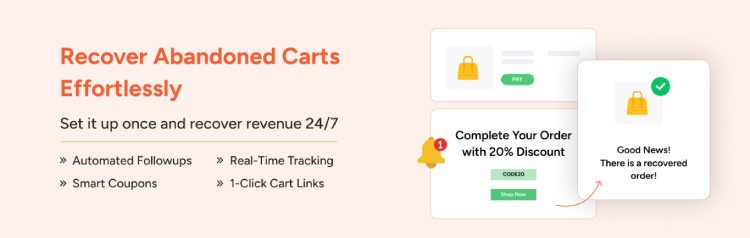
If you’re just getting started with cart recovery and don’t want to spend anything upfront, this is the plugin I’d recommend first. Brainstrom Force’ free cart abandonment plugin is surprisingly capable for a zero-cost tool and one of the most actively maintained free options in the WordPress ecosystem.
What I like about it: It captures email addresses as soon as a customer fills in the checkout email field — even before they click “Place Order.” This means you’re catching abandoners at the checkout stage, which is where the highest-intent shoppers drop off. The plugin lets you set up automated email sequences with custom delays, and the built-in email templates are clean and usable out of the box.
The reporting dashboard shows you recovered revenue, recovery rate, and individual email performance. For a free plugin, that’s more than most store owners need when starting out.
Where it falls short: The free version is basic — no SMS support, no advanced segmentation, and no A/B testing. If you need more than simple email sequences, you’ll need to upgrade to CartFlows Pro or switch to a more specialized tool.
Best for: New WooCommerce stores or store owners who want to test cart recovery before committing to a paid solution.
2. AutomateWoo — Best for Advanced Automation
Price: ~$79.50/year | Rating: ⭐⭐⭐⭐
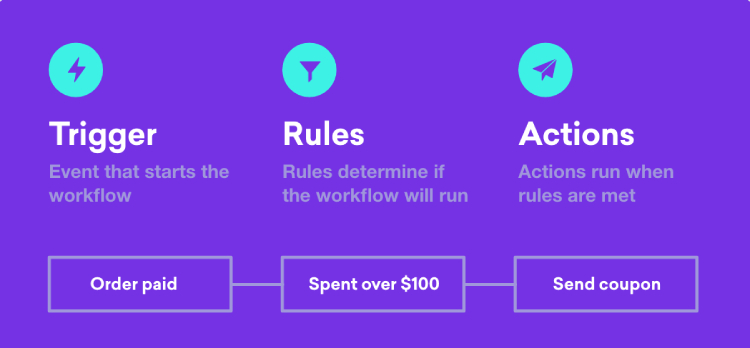
AutomateWoo is what I reach for when a store is serious about marketing automation — not just cart recovery, but the whole customer lifecycle. It’s a premium plugin sold through WooCommerce.com that goes well beyond abandoned cart emails. Think win-back campaigns, post-purchase follow-ups, loyalty workflows, and deep segmentation — all in one tool.
What I like about it: The workflow builder is powerful and flexible. For abandoned cart recovery specifically, you can build sequences that trigger based on cart value, specific products in the cart, customer type (first-time vs. returning), and more. You can attach auto-generated coupon codes to specific emails, time delivery based on the customer’s local timezone, and run multiple parallel workflows simultaneously.
AutomateWoo also integrates deeply with WooCommerce Subscriptions, making it particularly useful for stores that sell both one-time and recurring products. At $99/year it’s also one of the more affordable premium options on this list.
Where it falls short: It has a steeper learning curve than simpler plugins. If you just want a three-email sequence up and running in 20 minutes, this might feel like overkill. There’s also no free version to test before committing.
Best for: Established WooCommerce stores that want a comprehensive marketing automation platform, not just a standalone cart recovery tool.
3. YITH WooCommerce Recover Abandoned Cart — Best for Guest Recovery
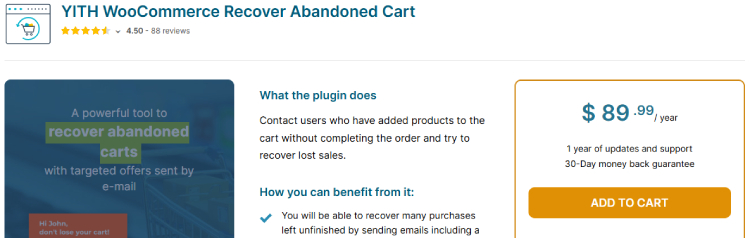
Price: ~$89.99/year (premium) | Rating: ⭐⭐⭐⭐
YITH is one of the most trusted plugin brands in the WooCommerce ecosystem, and their abandoned cart plugin lives up to that reputation. What sets it apart is its strong focus on guest user recovery — it claims to help stores recover up to 60% of abandoned orders when configured properly.
Worth noting upfront: unlike several competitors, YITH does not offer a free version of this plugin. It’s premium-only, starting at $89.99/year. If you need to try before you buy, this one isn’t for you — but the feature set justifies the cost for stores with meaningful traffic.
What I like about it: The plugin handles both logged-in users and guests, captures cart data immediately when an email is entered during checkout, and lets you create multi-step email sequences with custom delays and automatic discount coupons. The reporting dashboard shows recovery stats, revenue attributed, and email performance clearly.
It also handles pending orders — customers who started checkout, got a payment confirmation pending, but never actually paid. This is an often-overlooked recovery gap that YITH addresses natively. SMS reminders via supported gateways are also available, which puts it ahead of most email-only tools.
Where it falls short: Premium-only pricing means you’re committing without a free trial. If you’re already using other YITH plugins in your store, the ecosystem integration is a genuine plus — but if you’re starting fresh, compare the value carefully against other options at similar price points.
Best for: Stores with significant guest checkout traffic that need strong email capture, multi-step sequences, and are comfortable investing without a free tier.
4. Retainful — Best for Combined Recovery + Retention
Price: Free (up to 300 contacts) / from $19/month | Rating: ⭐⭐⭐⭐
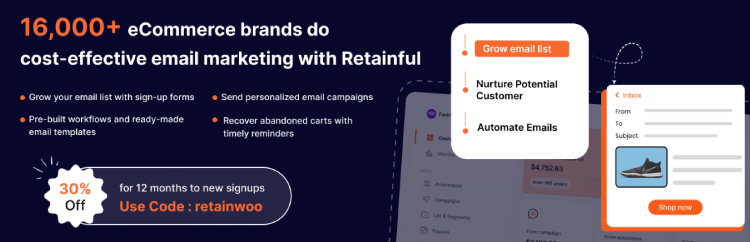
Retainful takes a different approach from most plugins on this list — it’s a cloud-based SaaS platform with a WooCommerce plugin, rather than a purely self-hosted WordPress tool. That distinction matters more than it sounds.
What I like about it: Because Retainful runs in the cloud, all email processing happens on their servers — meaning zero performance impact on your WordPress site. The drag-and-drop email builder produces genuinely good-looking templates, and the abandoned cart sequence setup is one of the most intuitive I’ve used. You can go from install to first live recovery sequence in under 20 minutes.
Retainful also combines cart recovery with post-purchase campaigns, next-order coupons, and referral marketing — making it useful well beyond just the initial recovery sequence. The referral feature is a particularly nice growth lever: a customer you just recovered gets a shareable referral code, creating a compounding effect on new customer acquisition.
Where it falls short: Monthly pricing scales with your contact list, which can get expensive for larger stores. The free plan caps at 300 contacts — useful for testing, not for a store with real traffic. Monthly fees of $19+ add up faster than a one-time annual plugin license, so model the cost over 12 months before committing.
Best for: Growing stores that want a clean, modern recovery platform and plan to use post-purchase campaigns and referral features alongside basic cart recovery.
5. Abandoned Cart Lite for WooCommerce (Tyche Softwares) — Best Lightweight Free Option
Price: Free (Lite) / $119/year (Pro) | Rating: ⭐⭐⭐⭐
Tyche Softwares has been building WooCommerce plugins for years, and their Abandoned Cart plugin has an excellent long-term track record in the community. The free Lite version is genuinely useful — more so than most free cart recovery plugins — and the Pro upgrade adds serious depth.
What I like about it: The Lite version captures abandoned carts without requiring customers to be logged in, sends reminder emails with a “return to cart” link that pre-populates the cart exactly as it was left, and includes basic reporting. It’s stable, well-maintained, and does exactly what it says with minimal setup.
The Pro version adds unlimited email templates, SMS reminders, exit-intent popups, WooCommerce Subscriptions compatibility, and the ability to track cart recovery across devices. The exit-intent popup feature is particularly valuable — it captures email addresses from visitors who are about to leave before they’ve even started checkout, significantly widening the recovery net.
Where it falls short: The UI feels slightly dated compared to newer cloud-based competitors. If a polished admin experience is important to you, there are more modern options on this list. That said, for raw functionality per dollar, it’s hard to beat.
Best for: Budget-conscious stores that want a proven, no-nonsense cart recovery tool with a genuine free starting point and a clear upgrade path.
6. FunnelKit Automations (formerly WooFunnels) — Best for CRM-Style Customer Journeys
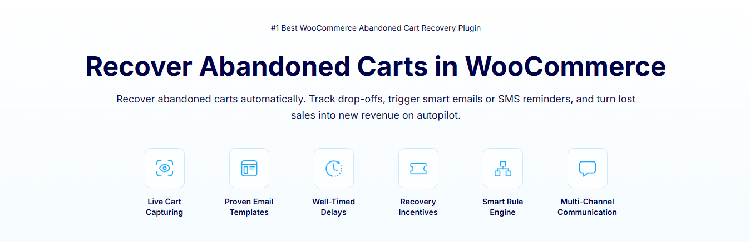
Price: From $99.50/year | Rating: ⭐⭐⭐⭐½
FunnelKit Automations is the plugin I recommend when a store owner wants to build full customer journeys — not just “send three emails when someone abandons a cart,” but personalized, behavior-driven sequences that factor in purchase history, cart value, product category, and customer lifecycle stage.
What I like about it: The visual automation builder is genuinely impressive. You can build branching workflows: if a cart value is over $150, send a sequence with a 15% discount; if under $50, send a simpler reminder. If the customer buys after email 1, the sequence stops automatically. If they open email 2 but don’t click, send a follow-up with social proof. You can layer in SMS alongside email, which consistently outperforms email alone for recovery rates.
FunnelKit also includes a built-in CRM that stores customer engagement data — email opens, clicks, purchase history — giving you a 360-degree view of each contact. The free Lite version available on WordPress.org provides a working taste of the automation engine before you commit to Pro.
Where it falls short: It’s more complex to set up than simpler tools. If you want a basic sequence running this afternoon, there’s a learning curve here. The full feature set — including A/B testing, analytics, and advanced branching — requires the Professional plan at $149.50/year or higher. It also works best as part of the broader FunnelKit ecosystem.
Best for: Scaling WooCommerce stores that want a full automation engine, CRM-style segmentation, and multi-channel (email + SMS) recovery — and are prepared to invest setup time for the long-term payoff.
Quick Comparison Table
| Plugin | Price | Free Version | Email Sequences | SMS | Guest Recovery | Best For |
|---|---|---|---|---|---|---|
| CartFlows Cart Recovery | Free / $199+/yr | ✅ Yes | ✅ Yes | ❌ No | ✅ Yes | Beginners |
| AutomateWoo | $99/yr | ❌ No | ✅ Advanced | ✅ Add-on | ✅ Yes | Power users |
| YITH Recover Abandoned Cart | ~$87/yr | ❌ No free version | ✅ Yes | ✅ Yes | ✅ Yes | Guest-heavy stores |
| Retainful | Free / $19+/mo | ✅ 300 contacts | ✅ Yes | ✅ Yes | ✅ Yes | Growing stores |
| Abandoned Cart Lite (Tyche) | Free / $119/yr | ✅ Solid | ✅ Yes | ✅ Pro | ✅ Yes | Budget-conscious stores |
| FunnelKit Automations | $99.50+/yr | ✅ Lite | ✅ Advanced | ✅ Yes | ✅ Yes | Scaling stores |
Which Plugin Should You Choose?
Here’s my honest recommendation based on where your store is:
Just starting out or testing the waters? Start with CartFlows Cart Abandonment Recovery (free). Get a basic 3-email sequence live, watch the recovery data come in, and upgrade once you know what you need.
Running a mid-size store with real traffic? Go with Retainful or YITH depending on your priority — Retainful if you want the cleanest setup and plan to use retention features; YITH if you have heavy guest traffic and want strong email capture.
Ready to invest in proper marketing automation? AutomateWoo or FunnelKit Automations are where I’d go. AutomateWoo is the better fit if you use WooCommerce Subscriptions; FunnelKit is the better fit if you want a visual builder and CRM-style segmentation.
Final Thoughts
Cart abandonment is not a problem you can fully eliminate — it’s built into how people shop online. But it is a problem you can systematically reduce. And the revenue sitting in those abandoned carts is some of the easiest money a WooCommerce store can recover, because these are people who already found your store, already chose a product, and already showed intent.
I’ve seen stores add thousands of dollars in monthly revenue simply by setting up a three-email recovery sequence for the first time. Not from new traffic, not from a new product launch — just from following up with people who needed one more nudge.
Start with whatever plugin fits your stage. Set up your sequence. Watch the data. Then optimize. It really is that straightforward.
Have a plugin you’ve had great results with that isn’t on this list? Drop it in the comments — I’d love to hear what’s working for other stores.