
When I first started digging into WooCommerce pricing plugins, I was surprised by how many store owners are still manually handing out coupon codes to their wholesale buyers. It works — until it doesn’t. Coupon codes get shared on deal sites, customers forget them, and you end up spending more time managing exceptions than actually running your store. (If abandoned carts are also a problem for you, I have covered the 6 Best WooCommerce Abandoned Cart Recovery Plugins in 2026.)
Role-based pricing is a much smarter approach. Instead of handing out codes, you assign customers to a role — Wholesale, VIP, Reseller, Trade — and the right price shows up automatically every time they log in. No codes. No manual adjustments. No awkward “can I get my discount?” emails.
But here is the thing: WooCommerce does not do this out of the box. You need a plugin. And there are enough options out there that choosing the wrong one can cost you time and money. I have researched and compared the top five plugins available in April 2026 so you do not have to start from scratch.
Let me walk you through each one — what it does, who it is best for, what it costs, and where it falls short.
“Need a custom role-based pricing solution? Get in touch →“
What Is WooCommerce Role-Based Pricing and Why Does It Matter?
Before I get into the plugins, let me quickly explain the concept for anyone new to this.
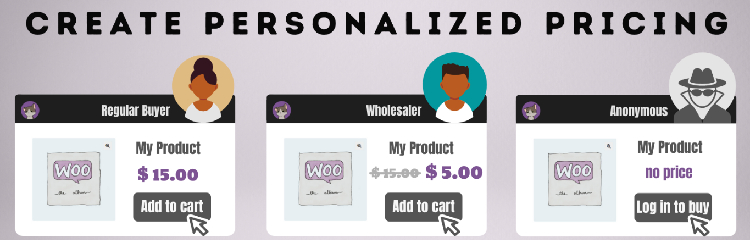
In WordPress, every user has a role — Administrator, Customer, Subscriber, and so on. Role-based pricing lets you tie custom pricing rules to those roles. A user with the “Wholesale Customer” role sees $15. A user with the “VIP Member” role sees $22. A guest who is not logged in sees “Register to view price.” Everyone else sees the regular $28 retail price.
The result is a genuinely personalized shopping experience — one that rewards the right customers, protects your margins, and eliminates the chaos of manually managed discount codes. For B2B stores, wholesale businesses, and membership sites, this is not optional anymore. It is how professional WooCommerce stores operate in 2026.
Now, on to the plugins.
5 Best WooCommerce Role-Based Pricing Plugins in 2026
1. Role Based Pricing for WooCommerce by Addify — Best Overall for Focused Role Pricing
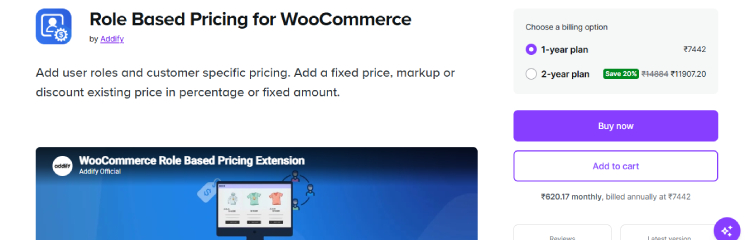
Price: $79/year | Rating: 4.8/5 (73 reviews) | Active Installs: 4,000+
Compatibility: WordPress 6.5+ | WooCommerce 4.0+ (tested up to WooCommerce 10.x)
If your main goal is straightforward role-based pricing — nothing more, nothing less — this is the plugin I would reach for first. It lives on the official WooCommerce Marketplace, which means it goes through Woo’s quality checks, and a 4.8 rating from 73 honest reviews is hard to argue with.
The plugin lets you set prices by user role or by individual customer, which is a combination not every plugin offers cleanly. I like that you can say “all Wholesale Customers get 25% off everything” with one bulk rule, and then override that with a specific fixed price for a particular B2B client on a particular product — without the two conflicting.
What I like most about it:
- Five pricing modes: fixed price, discount by %, discount by amount, increase by %, increase by amount — covers every scenario I can think of
- Strikethrough pricing that shows both the original and the discounted price side by side — a nice conversion-boosting touch
- Guest user price hiding with a custom message and button (“Login to see price”)
- Date-scheduled rules for time-limited role-specific promotions
- CSV import and export for bulk pricing — an absolute lifesaver for stores with 200+ products
- Minimum and maximum quantity restrictions per role
Where it falls short: A recent reviewer noted that it does not support the built-in WooCommerce Brand taxonomy, which matters if your store is organized around brands rather than categories. It also does not integrate with the WooCommerce Product Bundles plugin, so if bundles are core to your catalog, keep reading.
Best for: Store owners who want a dedicated, easy-to-configure role pricing plugin without the overhead of a bigger all-in-one tool. Great for wholesale stores, trade accounts, and membership pricing.
2. Discount Rules for WooCommerce by Flycart — Best Free Option and Best for Promotions + Role Pricing Combined
Price: Free (core) | Pro starts at ~$79/year | Rating: 4.9/5 (1,272+ reviews) | Active Installs: 100,000+
Compatibility: WordPress 6.8+ | WooCommerce 10.5+
I have to be honest — the install count on this one stopped me in my tracks. Over 100,000 active stores using one plugin is not a number you see every day in the WooCommerce space. Flycart has clearly built something that a huge number of store owners trust, and after researching it properly, I understand why.
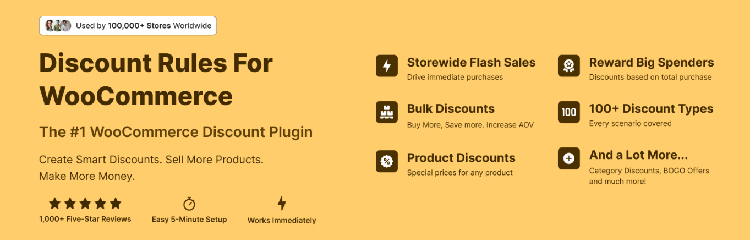
Discount Rules does more than role-based pricing. It is a full dynamic pricing and discount engine — BOGO deals, bulk tiered pricing, cart-total-based discounts, purchase history rules, and yes, user role pricing — all in one plugin. If you want to run a Black Friday sale, a buy-two-get-one promotion, AND offer wholesale pricing to a specific customer segment, you can manage all of that from a single dashboard.
The free version on WordPress.org handles basic discounts. For user role-based pricing specifically, you need the Pro version — but at around $79/year for a plugin this capable, that feels very fair.
What I like most about it:
- Role-based pricing combined with cart conditions — for example, “Wholesale Customers get 20% off, but only when cart total exceeds $200”
- URL coupons — share a link that automatically applies a discount without a code
- AND/OR conditional logic for advanced rule matching
- Discount reports and analytics built in — see which rules are actually driving revenue
- Strikethrough pricing table displayed right on the product page so customers see tiers before adding to cart
- The free version is genuinely useful — not crippled trial software
Where it falls short: Because it does so much, the setup is more involved than a focused plugin like Addify’s. If all you want is simple role pricing, Discount Rules can feel like overkill. The Pro version is also required for role-based conditions, which some users find frustrating when they discover the limitation after installation.
Best for: Stores that need role-based pricing AND want to run complex promotions, BOGO deals, or cart-value-based discounts from a single plugin. Also the best starting point if you are on a tight budget — the free version lets you test the interface before committing.
3. YITH WooCommerce Role Based Prices — Best for Stores Already in the YITH Ecosystem
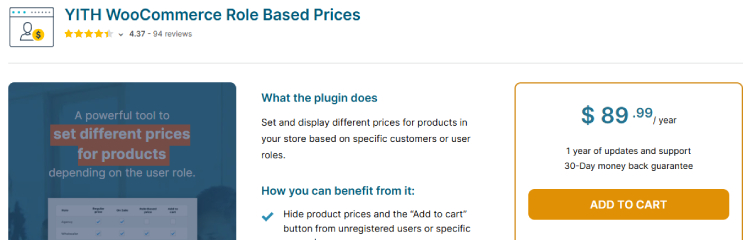
Price: ~$89.99/year | Rating: 4.4/5 (11,700+ customers) | Version: 2.15.1 (released April 13, 2026)
Compatibility: WordPress 6.8+ | WooCommerce 10.5+ (tested up to WooCommerce 10.7)
YITH is one of the most prolific plugin developers in the WooCommerce world. They have a plugin for almost everything — wishlists, bookings, reviews, multi-vendor, dynamic pricing — and they are all built on a shared framework that makes them play nicely together.
If you are already running other YITH plugins, this is almost a no-brainer. The Role Based Prices plugin integrates directly with YITH Dynamic Pricing and Discounts, YITH Automatic Role Changer, YITH Multi Vendor, and YITH Product Bundles. That last one matters — unlike the Addify plugin, YITH’s version works with product bundles, so you can set different bundle prices per role.
The standout feature for me is the YITH Automatic Role Changer integration. You can set it up so that a customer who spends a certain amount — say $1,000 — automatically gets promoted to the VIP role. Their prices update immediately without you touching anything. For loyalty programs, this is extremely powerful.
What I like most about it:
- Works with YITH Product Bundles — set different bundle prices per role
- Integration with Automatic Role Changer — auto-promote customers based on spend, purchases, or product ownership
- Show/hide tax by user role independently from store defaults
- Prompt guest users with “Become a member to see $X off this item” — a smart upsell on the product page
- Supports WPML for multilingual stores
Where it falls short: The plugin does not work with the API, which matters if you manage orders or customers programmatically. Admin-created orders also do not get role prices applied, which is an annoying gap if your team creates orders manually on behalf of B2B clients. At ~$99/year it is also the most expensive dedicated option on this list.
Best for: Stores already using other YITH plugins — particularly YITH Dynamic Pricing, Product Bundles, or Multi Vendor. Also great for membership programs where automatic role upgrades based on customer behavior are important.
4. ELEX WooCommerce Role Based Pricing — Best for B2B Stores Needing Catalog Mode
Price: Free (basic) | Premium ~$79/year | Rating: 4.7/5 on WordPress.org
Compatibility: WordPress 6.x | WooCommerce 8.x+
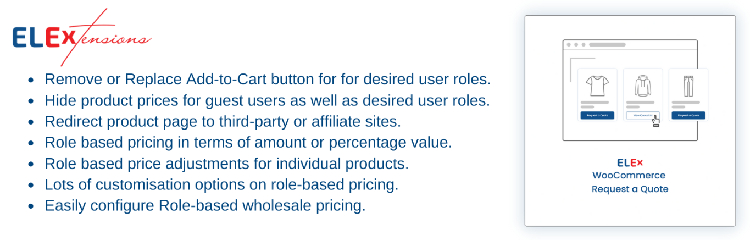
ELEX takes a different angle compared to the other plugins on this list. Yes, it does role-based pricing — but its real differentiator is catalog mode combined with pricing rules. This is particularly useful for B2B stores that want to hide all prices and Add to Cart buttons from guests and show a “Request a Quote” button instead.
Think of a wholesale-only supplier who does not want any retail customers purchasing online. With ELEX, you can hide prices and cart buttons from everyone who is not logged in, then replace them with a custom button that redirects to a quote request form. Logged-in wholesale customers then see their contracted prices and can buy normally. That two-tier experience — catalog for guests, transactional for approved buyers — is exactly what many B2B stores need.
What I like most about it:
- Catalog mode with custom button and redirect URL for specific roles or guest users
- Role-based and customer-specific pricing — both in one plugin
- Category-level pricing rules, not just product-level
- Custom user role creation built directly into the plugin (no need for a separate User Role Editor plugin)
- Role-based tax settings — charge or exempt certain roles from taxes independently
Where it falls short: The free version is fairly limited — you will need the premium version for most serious pricing configurations. The UI is also more utilitarian than Flycart or YITH — it works perfectly well but does not look as polished. Some users have also reported that the Ajax compatibility with certain page transition plugins needs a workaround.
Best for: B2B and wholesale-only stores that want catalog mode — hiding prices and cart buttons from unauthorized visitors — combined with role-specific pricing for approved buyers. Also good for stores that want to build quote request workflows into their pricing strategy.
5. Role Based Pricing for Woo by Meow Crew — Best Free Plugin with Quantity Rules
Price: Free (core) | Premium available | Rating: 4.8/5 on WordPress.org
Compatibility: WordPress 6.8+ | WooCommerce 8.x+
If you are just getting started with role-based pricing and do not want to spend money before you have validated the concept, Meow Crew‘s free plugin deserves your attention. It is one of the most fully featured free options I found — and it handles something the other plugins charge you for: quantity step rules.
On top of setting custom prices per role, you can also define a minimum order quantity, maximum order quantity, and a quantity step (e.g., must be purchased in multiples of 6). For wholesale stores where minimum order quantities are a real business requirement, having this in the free version is genuinely impressive.
The plugin also integrates with WP All Import, which is a big deal if you manage product data through spreadsheet imports. You can mass-import role-based prices directly through WooCommerce’s default import/export tool without any extra configuration.
What I like most about it:
- Completely free core version with real, usable features — not stripped-down bait
- Quantity step rules — force minimum order quantities and multiples per role
- Works with Simple, Variable, Grouped, and Subscription products
- Custom tax settings per role — disable or hide taxes for specific user groups
- WP All Import integration for bulk price management
- Import/export pricing via WooCommerce’s built-in Import/Export tool
Where it falls short: The free version does not include bulk category-level rules — you set prices product by product or use the import tool. For stores with large catalogs and no spreadsheet workflow, this gets time-consuming. The interface is also more basic than the other options here, which can feel limiting once you want more advanced configurations.
Best for: Store owners who want to test role-based pricing without upfront cost, especially wholesale stores where minimum order quantity rules matter. Also ideal for stores with existing WP All Import workflows.
Side-by-Side Comparison of Best WooCommerce Role-Based Pricing Plugins
| Plugin | Best For | Free Version | Price/Year | Rating |
|---|---|---|---|---|
| Addify Role Based Pricing | Focused role + customer pricing | ❌ | $79 | 4.8/5 |
| Discount Rules by Flycart | Role pricing + full promotions engine | ✅ | ~$79 (Pro) | 4.9/5 |
| YITH Role Based Prices | YITH ecosystem + auto role upgrades | ❌ | ~$99 | 4.4/5 |
| ELEX Role Based Pricing | B2B catalog mode + quote workflows | ✅ (limited) | ~$79 | 4.7/5 |
| Meow Crew Role Pricing | Free option + quantity step rules | ✅ | Free/Premium | 4.8/5 |
Which Plugin Should You Choose?
Here is how I would break down the decision:
You are running a simple wholesale or trade account store and just need clean role-based pricing without all the extras → Go with Addify Role Based Pricing. It is focused, well-rated, and lives on the official WooCommerce Marketplace.
You want role pricing AND plan to run promotions, BOGO deals, or quantity tiers from the same plugin → Discount Rules by Flycart is the one. The 100,000+ install count and 4.9 rating speak for themselves, and the free version lets you try before you buy.
You are already running YITH plugins or you want automatic role upgrades based on customer behavior → YITH Role Based Prices is the obvious fit. The ecosystem integration alone is worth the slightly higher price.
You run a B2B store and need catalog mode — hiding prices from guests and showing a quote button instead — → ELEX is built exactly for this use case.
You are just starting out and do not want to pay yet → Install Meow Crew’s free plugin first. If you outgrow it, you have learned exactly what you need and can upgrade to a paid option with confidence.
Before You Install Any Plugin — A Quick Checklist
Regardless of which plugin you choose, make sure you do these things first:
- Create your custom user roles using the free User Role Editor plugin before touching the pricing plugin. If the roles do not exist, no pricing rule can reference them.
- Assign at least one test customer to each custom role before you configure any rules. You need a test account to verify everything works from the customer’s perspective.
- Clear your site cache after saving any pricing rule. This is the number one reason role prices appear to be broken when they are actually working fine — cached pages show stale prices.
- Test checkout, not just the product page. The discounted price needs to show correctly all the way through the cart and order confirmation email, not just on the product listing.
Role-based pricing is one of those things that, once it is set up correctly, you completely forget about it — it just works in the background while you focus on running your business. Pick the plugin that fits your current needs, get it configured, and stop managing discount codes manually.
Have you used any of these plugins? I would love to hear which one worked for your store — drop a comment below and share your experience.