
Freelancing in 2026 is not what it used to be. The competition is fierce, client expectations are higher than ever, and the pressure to deliver quality work – fast – has never been greater. Whether you are a freelance writer, web developer, graphic designer, SEO consultant, or virtual assistant, one thing is crystal clear:
The freelancers who are winning right now are using AI tools.
Not because they are lazy. But because they are smart. AI-powered tools handle the repetitive, time-consuming tasks – drafting emails, organizing projects, generating content, tracking invoices – so freelancers can focus on what actually grows their business: delivering exceptional work and building strong client relationships.
But here is the real challenge. There are now hundreds of AI tools flooding the market, each promising to change your life. So which ones are actually worth your time and money?
We did the research so you don’t have to. In this guide, you will find the 8 best AI tools for freelancers in 2026 – each one tested, reviewed, and broken down with features, pricing, pros, cons, and exactly who it is best suited for.
Let’s get into it.
What Makes an AI Tool Actually Useful for Freelancers?
Before we jump into the list, it is worth understanding what separates a genuinely useful AI tool from one that just sounds impressive in a marketing video.
A great AI tool for freelancers should:
- Save measurable time – If it doesn’t cut your work time significantly, it’s not worth paying for
- Integrate with tools you already use – Google Docs, WordPress, Slack, Zoom, etc.
- Have a reasonable free plan – So you can test before you invest
- Produce reliable, consistent output – Not just impressive demos
- Scale with your freelance business – Works whether you have 1 client or 20
With that in mind, here are the top picks for 2026.
8 Best AI Tools for Freelancers in 2026
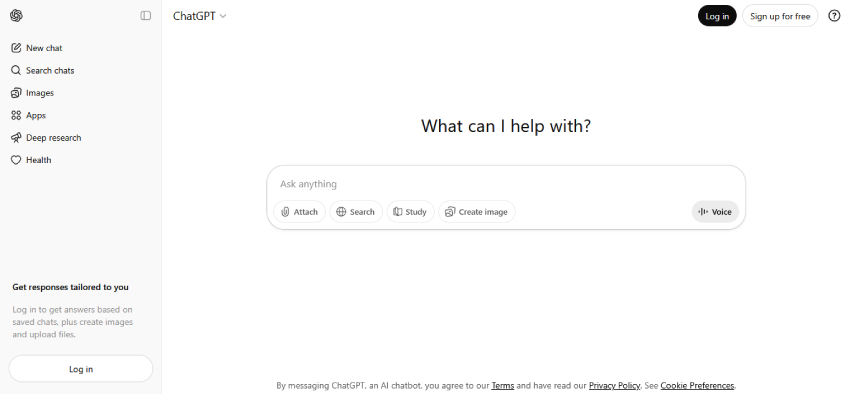
1. ChatGPT (OpenAI) – Best All-Round AI Assistant for Freelancers
Best For: Writers, virtual assistants, developers, consultants, and pretty much every freelancer on the planet
If you have not yet made ChatGPT a core part of your freelance workflow, you are leaving serious time and money on the table. Developed by OpenAI, ChatGPT is the most widely used AI assistant in the world — and in 2026, it has become significantly more powerful with its GPT-4o model that understands text, images, files, and even voice inputs.
For freelancers, ChatGPT is like having a highly skilled assistant who never sleeps. You can use it to draft client proposals, write blog content, debug code, answer complex research questions, summarize long documents, create project outlines, and even handle difficult client communication diplomatically.
Key Features
- Advanced natural language understanding and generation
- Image analysis and generation (GPT-4o)
- File upload and document analysis
- Custom GPTs for specific freelance workflows
- Memory feature – remembers your preferences across sessions
- Supports 50+ languages
- Code interpreter for developers and data analysts
- Browsing capability for real-time research
Pricing
| Plan | Price | Best For |
|---|---|---|
| Free | $0/month | Getting started, light usage (includes ads) |
| Go | $8/month | Budget-conscious users (includes ads) |
| Plus | $20/month | Most freelancers – best value |
| Pro (Standard) | $100/month | Power users (launched April 9, 2026) |
| Pro (Advanced) | $200/month | Researchers & heavy power users |
| Business | $25/user/month | Teams & agencies |
Pros
✅ Extremely versatile – works across almost every freelance niche
✅ Constantly updated with new capabilities
✅ GPT-4o handles text, images, voice, and files in one place
✅ Custom GPTs let you build your own specialized assistant
✅ Free plan is genuinely useful for beginners
Cons
❌ Can produce inaccurate information – always fact check important content
❌ Output can feel generic without detailed, well-crafted prompts
❌ Pro plan at $200/month is expensive for budget-conscious freelancers
❌ Requires good prompting skills to get truly great results
Real Freelancer Use Case
A freelance content writer uses ChatGPT to generate detailed article outlines, first drafts, and client email responses. What used to take 3 hours now takes 45 minutes — allowing them to take on 2x the clients at the same quality level.
2. Jasper AI – Best AI Tool for Freelance Copywriters & Content Marketers
Best For: Copywriters, content marketers, bloggers, email marketers
While ChatGPT is a generalist AI assistant, Jasper AI is purpose-built for marketing content and copywriting. This makes it a standout choice for freelancers who specialize in producing content for clients – whether that is blog articles, email sequences, ad copy, landing pages, or social media content.
What sets Jasper apart is its Brand Voice feature, which allows you to teach Jasper how each of your clients speaks – their tone, vocabulary, and style. This means the content Jasper helps you create always sounds authentically like your client, not like a generic AI output.
Key Features
- 50+ content templates including blog posts, ads, emails, product descriptions
- Brand Voice – save a unique tone for each client
- SEO mode with Surfer SEO integration
- Jasper Chat for conversational content creation
- AI image generation built-in
- Plagiarism detection
- Team collaboration features for agency freelancers
- Campaign creation across multiple content formats simultaneously
Pricing
| Plan | Price | Best For |
|---|---|---|
| Pro | $69/month (or $59/month billed annually) | Solo freelancers & small teams |
| Business | Custom pricing | Agencies & large teams |
⚠️ Note: Jasper no longer offers a permanent free plan. A 7-day free trial is available on the Pro plan.
Pros
✅ Brand Voice feature is a genuine game-changer for client work
✅ Built specifically for marketing content – outputs are more polished
✅ Surfer SEO integration means SEO-optimized content out of the box
✅ Saves massive time on repetitive client content
✅ Campaign feature creates multiple content pieces simultaneously
Cons
❌ More expensive than general AI tools
❌ Not ideal for technical writing, coding, or non-marketing tasks
❌ Requires human editing – still not fully autonomous
❌ No meaningful free plan – only a short trial
Real Freelancer Use Case
A freelance email marketer manages 6 clients simultaneously. Using Jasper’s Brand Voice feature, they can produce an entire month of email sequences for each client in a single day – each one sounding completely different and on-brand.
3. Grammarly – Best AI Tool for Error-Free Professional Communication
Best For: Every freelancer who writes anything – proposals, emails, reports, content
Here is an uncomfortable truth: clients judge your professionalism by how you write. A single typo in a proposal or a poorly worded email can cost you a project worth hundreds of dollars. Grammarly eliminates that risk entirely.
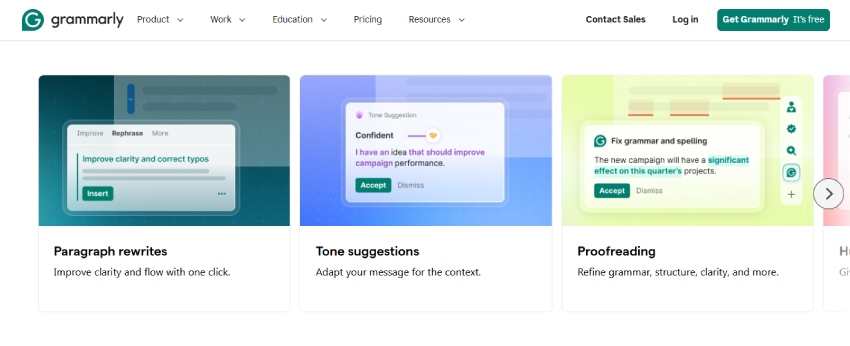
In 2026, Grammarly has evolved far beyond a simple grammar checker. It is now a full AI-powered writing assistant that checks grammar, spelling, tone, clarity, engagement, and even suggests full sentence rewrites. It works across virtually every platform freelancers use – Gmail, Google Docs, WordPress, Slack, LinkedIn, and more.
Key Features
- Real-time grammar, spelling, and punctuation correction
- Tone detection and adjustment suggestions
- Clarity and engagement scoring
- Full sentence and paragraph rewrite suggestions
- Plagiarism checker with Premium plan
- GrammarlyGO – AI writing assistant for generating and improving text
- Works on 500,000+ websites and apps via browser extension
- Microsoft Word and Google Docs integration
Pricing
| Plan | Price | Best For |
|---|---|---|
| Free | $0/month | Basic grammar checking |
| Pro (monthly) | $30/month | Flexible short-term use |
| Pro (annual) | $12/month (billed as $144/year) | Best value for regular users |
| Enterprise | Custom pricing | Large teams & organizations |
⚠️ Note: Grammarly rebranded its Premium plan to “Pro” in 2026. The Business plan has been replaced by Enterprise.
Pros
✅ Works everywhere – browser, Word, Google Docs, email
✅ Free plan is genuinely powerful for basic needs
✅ Tone suggestions help you communicate more professionally
✅ Saves time on proofreading and editing
✅ Builds client trust through consistently polished communication
Cons
❌ Premium features are locked behind paywall
❌ Occasionally suggests unnecessary changes
❌ Not a content creation tool – only improves existing writing
❌ Can slow down browser performance slightly on older devices
Real Freelancer Use Case
A freelance virtual assistant uses Grammarly on every email, report, and document they send to clients. The result? Zero embarrassing typos, consistently professional tone, and clients who trust them completely with high-value tasks.
4. Notion AI – Best AI Tool for Freelance Project Management & Organization
Best For: Freelancers managing multiple clients, projects, and deadlines simultaneously
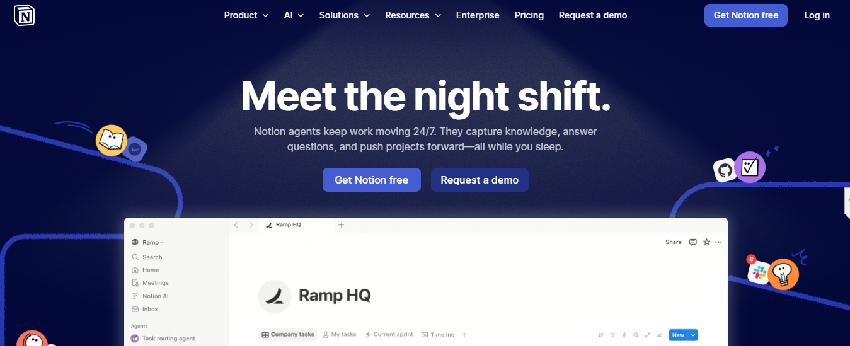
Disorganization is one of the biggest hidden costs in freelancing. Missed deadlines, lost client notes, forgotten follow-ups – these mistakes damage your reputation and ultimately your income. Notion AI solves this by combining a powerful project management system with an intelligent AI assistant – all in one beautifully organized workspace.
Think of Notion AI as your AI-powered freelance business headquarters. Every client, project, deadline, invoice, meeting note, and idea lives in one place — and the AI helps you manage, summarize, and act on all of it instantly.
Key Features
- AI-generated project summaries and status updates
- Auto-generated meeting notes and action items
- Client workspace templates for onboarding
- Task and deadline management with calendar view
- AI writing assistant built into every document
- Database views — table, kanban, timeline, gallery
- Integrates with Slack, Google Calendar, GitHub, and more
- Shared workspaces for client collaboration
Pricing
| Plan | Price | Best For |
|---|---|---|
| Free | $0/month | Solo freelancers (no AI features) |
| Plus | $10/month (annual) | Basic workspace without AI |
| Business | $15/month (annual) / $20/month (monthly) | Full AI access included |
| Enterprise | Custom pricing | Large organizations |
⚠️ Important 2026 Update: Notion AI is no longer a separate add-on. Full AI access (including AI Agents) now requires the Business plan at $15/month (annual billing). Free and Plus plan users no longer have access to AI features.
Pros
✅ Replaces multiple apps – notes, tasks, docs, databases in one place
✅ AI summaries save hours of manual status update writing
✅ Highly customizable to your exact freelance workflow
✅ Client collaboration features make you look ultra-professional
✅ Generous free plan for solo freelancers
Cons
❌ Steep learning curve – takes time to set up properly
❌ Can feel overwhelming for freelancers who prefer simple tools
❌ AI features require the paid plan
❌ Offline functionality is limited
Real Freelancer Use Case
A freelance web developer manages 8 client projects simultaneously using Notion AI. Each client has a dedicated workspace with project briefs, timelines, meeting notes, and invoices. The AI generates weekly status updates automatically – impressing clients with consistent, professional communication.
5. Canva AI – Best AI Tool for Freelance Designers & Non-Designers
Best For: Graphic designers, social media managers, content creators, and non-designers who need professional visuals
Visual content is no longer optional for freelancers – even if you are a writer or developer, you need professional-looking proposals, presentations, social media posts, and portfolio pieces. Canva AI makes world-class design accessible to everyone, regardless of design experience.
In 2026, Canva‘s AI features have become genuinely impressive. Magic Design generates complete design concepts from a text description. Magic Edit lets you modify images using natural language. The AI presentation maker creates full slide decks from a single prompt. For professional designers, these features dramatically accelerate production speed.
Key Features
- Magic Design – generate full designs from text prompts
- Text to Image – AI image generation built-in
- Magic Edit – modify images with natural language instructions
- Background Remover – one-click background removal
- AI Presentation Maker – full slide decks from a prompt
- Brand Kit – store client brand colors, fonts, and logos
- 100+ million stock photos, videos, and graphics
- One-click resize for every social media platform
Pricing
| Plan | Price | Best For |
|---|---|---|
| Free | $0/month | Light design needs |
| Pro | $15/month or $120/year ($10/month) | Active freelancers — best value |
| Teams | $10/seat/month (annual, 3 seat minimum) | Design teams |
| Enterprise | Custom pricing | Large organizations |
Pros
✅ No design experience required – AI does the heavy lifting
✅ Brand Kit keeps client branding consistent across all designs
✅ Massive template library saves hours of design time
✅ Magic Design produces stunning results in seconds
✅ Very affordable compared to Adobe Creative Suite
Cons
❌ Not suitable for complex, highly custom graphic design work
❌ Professional designers may find it limiting compared to Photoshop/Illustrator
❌ AI-generated images can sometimes look generic
❌ Some premium templates and elements require Pro plan
Real Freelancer Use Case
A freelance social media manager handles 5 client accounts. Using Canva AI’s Brand Kit and Magic Design, they produce a full month of social media graphics for all 5 clients in just 2 days — work that previously took an entire week.
6. Surfer SEO – Best AI Tool for Freelance SEO Professionals & Content Writers
Best For: SEO consultants, content writers, bloggers, and digital marketing freelancers
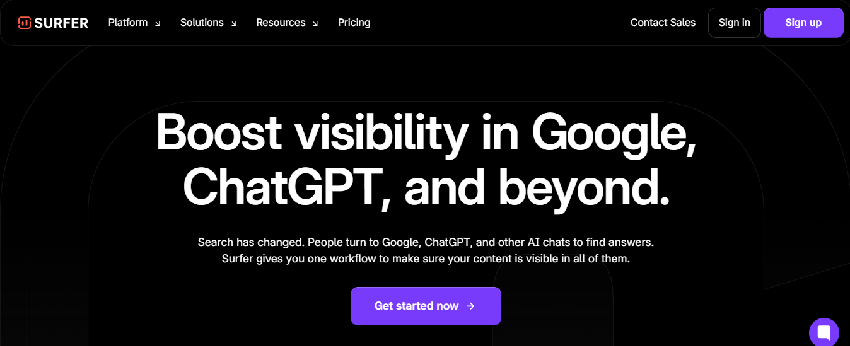
If you offer SEO services or write content that needs to rank on Google, Surfer SEO is arguably the most important tool on this list. It uses AI to analyze the top-ranking pages for any keyword and tells you – in real time – exactly how to optimize your content to outrank them.
The result? Content that doesn’t just read well but actually performs on Google. For freelancers, this means you can confidently charge premium rates because you can prove your content delivers measurable results.
Key Features
- Real-time Content Editor with live SEO score
- NLP-powered keyword suggestions and LSI keyword recommendations
- SERP Analyzer – deep analysis of top-ranking competitor pages
- Keyword Research tool with search volume and difficulty metrics
- Content Audit – optimize existing articles for better rankings
- Auto-Optimize feature – one-click content improvement suggestions
- Google Docs and WordPress integration
- Jasper AI integration for combined content creation and SEO
Pricing
| Plan | Price | Best For |
|---|---|---|
| Essential | $99/month or $79/month (annual) | Solo SEO freelancers — up to 30 articles/month |
| Scale | $219/month or $175/month (annual) | Multiple clients — up to 100 articles/month |
| Enterprise | Custom pricing | Agencies & large teams |
Pros
✅ Dramatically improves content ranking potential
✅ Real-time SEO scoring makes optimization intuitive
✅ NLP keyword suggestions are genuinely accurate and useful
✅ Content Audit feature helps improve existing articles fast
✅ Justifies premium service pricing to clients
Cons
❌ Expensive — not ideal for freelancers just starting out
❌ Steep learning curve for beginners unfamiliar with SEO concepts
❌ Focused purely on SEO — not a general content creation tool
❌ Results depend on the quality of writing alongside the tool
Real Freelancer Use Case
A freelance SEO content writer charges $300 per article. Using Surfer SEO, their articles consistently hit Page 1 of Google within 3 months. Clients renew contracts repeatedly because the results speak for themselves.
7. Otter.ai — Best AI Tool for Client Meetings & Transcription
Best For: Consultants, project managers, virtual assistants, coaches, and any freelancer who has regular client calls
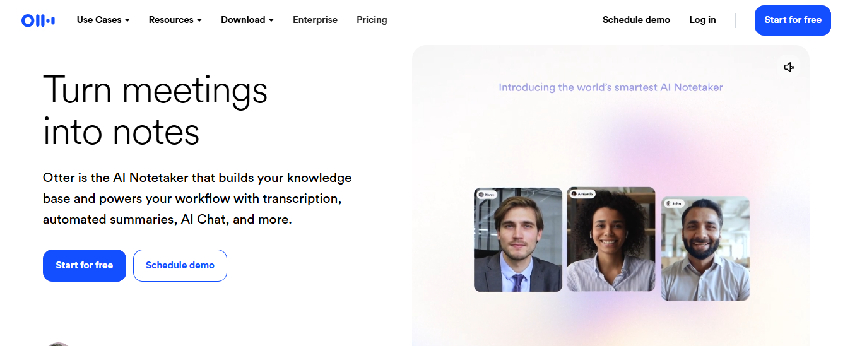
How many times have you finished a client call and immediately forgotten half of what was discussed? Or spent 30 minutes writing up meeting notes that should have taken 5? Otter.ai solves both problems permanently.
Otter.ai automatically joins your Zoom, Google Meet, or Microsoft Teams calls, records the entire conversation, generates a real-time transcript, and then produces an AI-written summary with action items – all without you lifting a finger.
Key Features
- Real-time automatic transcription of meetings and calls
- AI-generated meeting summaries with key points and action items
- Automated speaker identification – knows who said what
- Integrates directly with Zoom, Google Meet, and Microsoft Teams
- Searchable meeting archive – find any conversation instantly
- Otter AI Chat – ask questions about any past meeting
- Shared notes for client collaboration
- Mobile app for transcribing in-person meetings
Pricing
| Plan | Price | Best For |
|---|---|---|
| Basic (Free) | $0/month | 300 minutes/month transcription |
| Pro | $16.99/month or $8.33/month (annual) | Active client-facing freelancers – 1,200 min/month |
| Business | $30/user/month or $20/user/month (annual) | Teams – 6,000 min/month |
| Enterprise | Custom pricing | Large organizations |
Pros
✅ Eliminates manual note-taking entirely
✅ AI summaries are accurate and well-structured
✅ Searchable archive is invaluable for referencing past client discussions
✅ Free plan offers generous usage for light users
✅ Builds client confidence — nothing gets missed or forgotten
Cons
❌ Accuracy drops with strong accents or poor audio quality
❌ Privacy concerns — some clients may be uncomfortable with call recording
❌ Occasional errors in speaker identification
Real Freelancer Use Case
A freelance business consultant uses Otter.ai on every client discovery call. After each call, they send the client an AI-generated summary with clear action items within 10 minutes. Clients are consistently impressed by the speed and professionalism.
8. FreshBooks — Best AI Tool for Freelance Invoicing & Financial Management
Best For: All freelancers who need to manage payments, expenses, and finances professionally
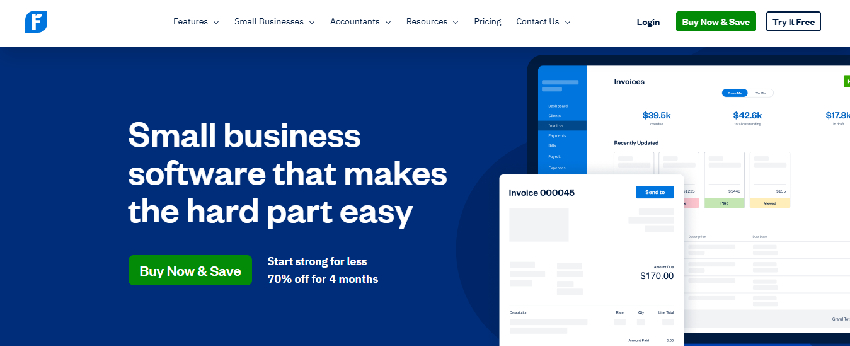
Getting paid is the whole point of freelancing yet most freelancers waste hours every month on manual invoicing, chasing late payments, and trying to make sense of their finances at tax time. FreshBooks uses AI to automate the entire financial side of your freelance business.
Beyond invoicing, FreshBooks tracks your expenses, logs your billable hours, generates professional financial reports, and even sends automated payment reminders to clients who are late — so you never have to have that awkward conversation again.
Key Features
- AI-powered invoice generation – professional invoices in seconds
- Automated late payment reminders – sent automatically to overdue clients
- Expense tracking with receipt scanning via mobile camera
- Built-in time tracker – log billable hours directly to client projects
- Client portal – clients can view and pay invoices online
- Financial reporting – profit & loss, tax summaries, revenue reports
- Multi-currency support for international freelancers
- Integrates with PayPal, Stripe, and major payment gateways
Pricing
| Plan | Price | Best For |
|---|---|---|
| Lite | $23/month (or $19/month annual) | Up to 5 clients |
| Plus | $43/month (or $33/month annual) | Up to 50 clients |
| Premium | $70/month (or $60/month annual) | Unlimited clients |
| Select | Custom pricing | Large businesses |
✅ 30-day free trial available. No credit card required to start.
Pros
✅ Automated payment reminders eliminate awkward client follow-ups
✅ Receipt scanning makes expense tracking effortless
✅ Professional invoices improve client perception of your business
✅ Time tracking integrated directly with project billing
✅ Tax time becomes significantly less stressful
Cons
❌ More expensive than basic invoicing tools
❌ Lite plan limited to only 5 clients
❌ Some advanced accounting features require an accountant integration
❌ Mobile app less powerful than the desktop version
Real Freelancer Use Case
A freelance web developer was spending 4-5 hours every month on invoicing and chasing payments. After switching to FreshBooks, the entire process takes 20 minutes. Automated reminders recovered $800 in overdue payments in the first month alone.
Quick Comparison Table – 8 Best AI Tools for Freelancers in 2026
| Tool | Best For | Free Plan | Starting Price | Ease of Use |
|---|---|---|---|---|
| ChatGPT | All-round AI assistance | ✅ Yes | $8/month | ⭐⭐⭐⭐⭐ |
| Jasper AI | Copywriting & content | ✅ Trial | $69/month | ⭐⭐⭐⭐ |
| Grammarly | Writing & proofreading | ✅ Yes | $30/month | ⭐⭐⭐⭐⭐ |
| Notion AI | Project management | ✅ Yes | $10/month | ⭐⭐⭐ |
| Canva AI | Design & visuals | ✅ Yes | $15/month | ⭐⭐⭐⭐⭐ |
| Surfer SEO | SEO & content ranking | ❌ No | $99/month | ⭐⭐⭐ |
| Otter.ai | Meeting transcription | ✅ Yes | $16.99/month | ⭐⭐⭐⭐⭐ |
| FreshBooks | Invoicing & finances | ✅ Trial | $23/month | ⭐⭐⭐⭐ |
Which AI Tools Should YOU Start With?
Not every freelancer needs all 8 tools. Here is a practical starter guide based on your freelance specialization:
If you are a Freelance Writer or Blogger: Start with ChatGPT + Grammarly + Surfer SEO. This combination covers content creation, quality control, and SEO optimization — the three pillars of successful freelance writing.
If you are a Freelance Designer or Social Media Manager: Start with Canva AI + ChatGPT. Canva handles all your visual content needs while ChatGPT takes care of captions, strategy documents, and client communication.
If you are a Freelance Web Developer: Start with ChatGPT + Notion AI + FreshBooks. ChatGPT assists with code and problem-solving, Notion keeps your projects organized, and FreshBooks handles your billing professionally.
If you are a Freelance SEO Consultant: Start with Surfer SEO + ChatGPT + Grammarly. These three tools together create a complete SEO content production system that delivers measurable client results.
If you are a Virtual Assistant or Consultant: Start with Otter.ai + Notion AI + Grammarly. These tools help you manage client relationships, organize information, and communicate with absolute professionalism.
Universal Recommendation for ALL Freelancers: Regardless of your niche, FreshBooks + Grammarly are non-negotiable. Every freelancer gets paid and every freelancer writes — these two tools make both of those activities significantly better.
How to Build Your AI-Powered Freelance Workflow
The real power of these tools comes not from using them individually, but from combining them into a seamless workflow. Here is an example of a complete AI-powered freelance content workflow:
- Client Brief → Use Notion AI to organize and summarize the brief
- Keyword Research → Use Surfer SEO to identify target keywords and LSI terms
- Content Creation → Use ChatGPT or Jasper AI to draft the article
- SEO Optimization → Run the draft through Surfer SEO’s Content Editor
- Proofreading → Polish the final draft with Grammarly
- Visuals → Create featured image and social graphics with Canva AI
- Client Meeting → Record and transcribe the review call with Otter.ai
- Invoice → Send a professional invoice through FreshBooks
What would previously take a full working day can now be completed in 3–4 hours — allowing you to take on more clients, deliver faster, and earn significantly more.
Frequently Asked Questions (FAQs)
1. Are AI tools really worth the investment for freelancers?
Absolutely — if you choose the right ones. The key is to calculate your time savings vs. cost. For example, if Grammarly at $12/month saves you 2 hours of proofreading time per week, and you charge $30/hour, that tool is saving you $240/month in billable time. The return on investment is obvious. Start with free plans, measure the impact, and only upgrade when the value is clear.
2. Can AI tools completely replace freelance skills?
No — and this is important to understand. AI tools are productivity multipliers, not skill replacements. A bad writer using ChatGPT will still produce bad content. A skilled writer using ChatGPT will produce exceptional content in half the time. AI amplifies your existing skills — it does not replace the need for them. The freelancers who thrive are those who master both their craft and the AI tools that enhance it.
3. Which is the best free AI tool for freelancers just starting out?
If budget is tight, start with this free stack: ChatGPT (free plan) + Grammarly (free plan) + Canva AI (free plan) + Notion (free plan) + Otter.ai (free plan). This combination costs $0 and covers writing assistance, proofreading, design, project management, and meeting transcription. It is a remarkably powerful starting point for any freelancer.
4. Will clients know if I use AI tools in my work?
This depends entirely on how you use AI. If you publish raw, unedited AI output — yes, experienced clients will likely notice. But if you use AI as a foundation and add your own expertise, voice, and insights on top — the final product is genuinely yours. Most successful freelancers treat AI as a first-draft generator and research assistant, then apply their professional judgment to create the final deliverable. Always be transparent with clients about your workflow if they ask.
5. How do I convince clients to pay premium rates if I am using AI?
This is actually backwards thinking. AI tools allow you to deliver better work, faster — which justifies higher rates, not lower ones. When you use Surfer SEO to produce content that consistently ranks on Page 1 of Google, clients will gladly pay more. When you use Otter.ai to send perfectly structured meeting summaries within minutes of a call, clients perceive you as exceptionally professional. AI makes you more valuable, not less.
6. Are these AI tools safe to use with confidential client information?
This is a legitimate concern that every freelancer should take seriously. Most major AI tools like ChatGPT, Notion, and Grammarly have enterprise-grade security and privacy policies. However, it is always best practice to avoid inputting highly sensitive client data — such as personal customer information, financial data, or proprietary trade secrets — into any third-party AI tool. Review each tool’s privacy policy and, where necessary, inform your clients about the tools you use in your workflow.
7. Which AI tool gives the best return on investment for freelancers?
Based on cost vs. time savings, Grammarly Premium ($12/month) and Notion AI ($10/month) consistently offer the best ROI for most freelancers. They are affordable, immediately impactful, and benefit every single project you work on. For freelancers who specialize in SEO content, Surfer SEO — despite its higher price — pays for itself many times over through the premium rates it allows you to charge.
Final Thoughts — The Future of Freelancing is AI-Assisted
The freelance landscape has changed permanently. AI tools are no longer a competitive advantage — they are quickly becoming a baseline expectation. Clients expect faster turnarounds, higher quality, and more consistent results than ever before.
The good news? These 8 AI tools give you everything you need to not just keep up — but to genuinely stand out. Whether you are just starting your freelance journey or looking to scale an established business, integrating the right AI tools into your workflow is one of the highest-leverage investments you can make in 2026.
Start with the free plans. Test what works for your specific workflow. Upgrade only when the value is undeniable. And most importantly — never stop developing your core skills. Because in the end, AI is a tool. You are the talent.
Which of these AI tools are you planning to try first? Drop a comment below — we would love to hear about your experience! 👇
Did you find this guide helpful? Share it with a fellow freelancer who could use a productivity boost! And if you are looking for more AI tool recommendations, check out our guides on the Best AI Tools for Web Developers and Best AI Tools for WordPress Bloggers.