
When I work on WordPress websites, one thing I’ve learned over the years is this: your theme plays a huge role in website speed. No matter how good your hosting or caching is, a heavy theme can slow everything down.
In 2025, website speed is more important than ever. Google now heavily considers Core Web Vitals, page load time, and user experience when ranking websites. A slow website doesn’t just affect SEO—it also increases bounce rate and reduces conversions.
That’s why I always recommend using a lightweight WordPress theme. Lightweight themes focus on clean code, minimal CSS and JavaScript, and only load what is actually needed. In this article, I’m sharing some of the best lightweight WordPress themes for speed that I personally trust and recommend.
What Makes a WordPress Theme Truly Lightweight?
Many themes claim to be fast, but in reality, only a few truly are. Based on my experience, a lightweight WordPress theme usually has these qualities:
- Minimal CSS and JavaScript files
- No unnecessary animations or sliders by default
- Clean and optimized code structure
- Good compatibility with Gutenberg and page builders
- Focus on Core Web Vitals performance
A lightweight theme doesn’t try to do everything. Instead, it gives you a fast foundation that you can build on.
How I Evaluate Lightweight WordPress Themes
When I choose or recommend a theme, I don’t just look at design. I focus on real-world performance. Here’s what I personally check:
- Page load speed on fresh installation
- CSS and JavaScript file size
- Impact on Core Web Vitals (LCP, CLS, TBT)
- Behavior on shared and managed hosting
- Ease of customization without adding bloat
- Free vs Pro feature balance
Only themes that perform well in these areas make it to my list.
Best Lightweight WordPress Themes for Speed
Below are the lightweight themes I trust the most when speed is a priority.
1. GeneratePress – Performance-First WordPress Theme

When I talk about fast WordPress themes, GeneratePress is usually the first name that comes to my mind. I’ve used it on multiple websites, and what I appreciate most is its clear focus on performance. GeneratePress doesn’t try to impress with flashy designs—it focuses on doing one thing extremely well: keeping your website fast and stable.
Why GeneratePress Is So Fast
GeneratePress has a very lightweight core. It loads less than 10 KB of CSS and does not use jQuery on the frontend, which helps reduce render-blocking resources. Because of this, pages load faster and Core Web Vitals metrics like Largest Contentful Paint (LCP) and Total Blocking Time (TBT) improve naturally.
Even without heavy optimization, I’ve seen GeneratePress perform well on basic shared hosting, which says a lot about its code quality.
Key Features That Matter for Speed
Instead of listing everything, GeneratePress focuses on features that actually impact performance:
- Extremely lightweight theme core (Free + Pro)
- Modular system to enable only required features (Mostly Pro)
- Gutenberg-ready with no extra block styling (Free + Pro)
- No frontend jQuery dependency (Free + Pro)
- Clean HTML structure for better SEO (Free + Pro)
- Advanced layout, typography, and spacing controls (Pro)
- WooCommerce design and layout options (Pro)
- Developer-friendly hooks and filters (Mostly Pro)
This feature set allows me to build fast websites without loading unnecessary code.
Free vs Pro – What You Should Know
The free version of GeneratePress is great if your main goal is speed and simplicity. You get a fast, stable theme with limited design controls.
The Pro version is where GeneratePress really shines. It adds advanced typography, spacing, layout controls, WooCommerce styling, and more—without hurting performance. I usually upgrade to Pro when I need more flexibility but still want to keep the site lightweight.
Who I Recommend GeneratePress For
From my experience, GeneratePress is best suited for:
- Blogs and content-focused websites
- Niche and affiliate sites
- Business websites that care about speed
- Developers building custom WordPress projects
- Anyone targeting strong Core Web Vitals scores
It may look basic at first, but it gives you a solid performance foundation that you can safely build on.
My Final Take on GeneratePress
GeneratePress doesn’t try to be everything for everyone. That’s exactly why it works so well. It focuses on clean code, speed, and long-term stability.
When combined with good hosting, caching, and basic optimization, GeneratePress consistently outperforms heavier multipurpose themes. If website speed, SEO, and maintainability matter to you, GeneratePress is one of the best lightweight WordPress themes you can choose.
2. Astra – Lightweight & Beginner-Friendly WordPress Theme

Astra is a theme I often recommend when someone wants a fast WordPress website without getting too technical. I’ve used Astra on business websites, landing pages, and WooCommerce stores, and what I like most is how it balances speed with ease of use.
Unlike heavy multipurpose themes, Astra keeps its core lightweight and gives users flexibility through optional features. It’s designed in a way that beginners can get started quickly, while professionals can still build high-performing websites.
Why Astra Is Fast
Astra is built with performance in mind. Its core files are lightweight, and the theme avoids loading unnecessary scripts on the frontend. Astra also supports optimized asset loading, which helps reduce page size and improve load times.
When used properly (especially without overloading starter templates), Astra performs well in Core Web Vitals, including LCP and CLS. I’ve seen good speed results even on shared hosting setups.
Key Features That Matter for Speed
Astra focuses on flexibility while keeping performance under control:
- Lightweight theme core optimized for speed (Free + Pro)
- No jQuery dependency on the frontend (Free + Pro)
- Works smoothly with Gutenberg and popular page builders (Free + Pro)
- Starter templates for quick setup (Free + Pro)
- Clean and SEO-friendly HTML structure (Free + Pro)
- Advanced header, layout, and typography controls (Pro)
- WooCommerce performance-focused features (Pro)
The key is to enable only what you need—this keeps Astra fast and efficient.
Free vs Pro – What You Should Know
The free version of Astra is great for basic websites. It gives you good speed, simple layouts, and essential customization options.
The Pro version unlocks advanced features like:
- More layout controls
- Sticky headers and advanced navigation
- Better WooCommerce styling and options
I usually recommend Astra Pro when someone wants more design control but still cares about performance.
Who I Recommend Astra For
From my experience, Astra works best for:
- Beginners building their first WordPress site
- Business websites and service pages
- WooCommerce stores that need speed + design
- Users who rely on page builders like Elementor
If you want a theme that is easy to use, flexible, and still fast, Astra is a solid choice.
My Final Take on Astra
Astra may not be as minimal as GeneratePress, but it makes up for it with user-friendliness and flexibility. When set up carefully, it delivers excellent performance without making things complicated.
If you want a beginner-friendly lightweight WordPress theme that still performs well in SEO and Core Web Vitals, Astra is definitely worth considering.
3. Kadence – Modern, Fast & Feature-Rich WordPress Theme
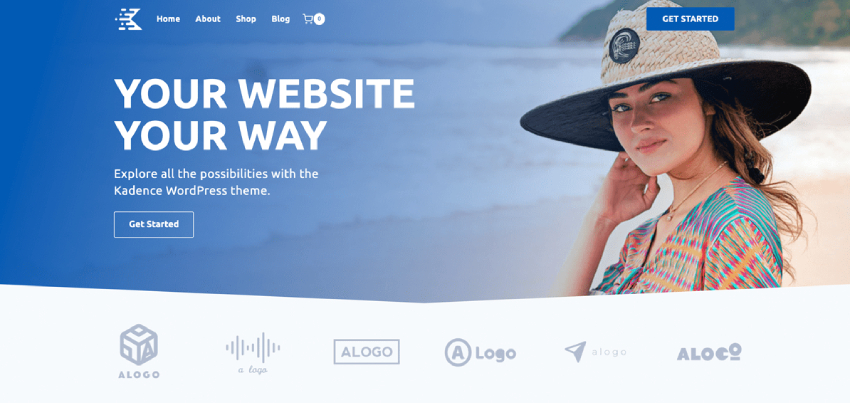
Kadence is a theme I started using when I wanted more design control without sacrificing speed. It’s modern, well-optimized, and built to work perfectly with the WordPress block editor. From my experience, Kadence offers a very good balance between performance and built-in features.
Unlike older themes that rely heavily on page builders, Kadence is designed with Gutenberg-first thinking, which makes it a great choice for modern WordPress websites.
Why Kadence Is Fast
Kadence uses clean code and smart asset loading to keep pages lightweight. It only loads scripts and styles when they are actually needed, which helps reduce page size and improve load times.
I’ve tested Kadence on content-heavy websites, and when combined with good hosting and caching, it performs very well in Core Web Vitals, especially LCP and CLS.
Key Features That Impact Performance
Kadence comes with many useful features, but the good part is that most of them are modular.
- Lightweight and optimized theme core (Free + Pro)
- Gutenberg-first design approach (Free + Pro)
- Advanced header and footer builder (Free + Pro)
- Clean and SEO-friendly HTML markup (Free + Pro)
- Smart loading of CSS and JavaScript (Free + Pro)
- Advanced typography, spacing, and layout options (Pro)
- Performance-focused WooCommerce features (Pro)
Even though Kadence offers more features than ultra-minimal themes, it stays fast when used properly.
Free vs Pro – What’s the Difference?
The free version of Kadence is very powerful compared to many other free themes. You get a strong header/footer builder and solid customization options without touching code.
The Pro version adds:
- Advanced conditional headers
- More layout and typography controls
- Extra WooCommerce customization options
I usually recommend Kadence Pro for professional websites where design flexibility matters, but the free version is more than enough for many projects.
Who I Recommend Kadence For
From my usage, Kadence is ideal for:
- Gutenberg-based websites
- Bloggers who want more styling control
- Business and service websites
- WooCommerce stores that need built-in design options
If you want a theme that feels modern and powerful but still performs well, Kadence is a strong option.
My Final Take on Kadence
Kadence is a great middle ground between minimal themes and feature-heavy themes. It gives you many tools out of the box while still respecting performance best practices.
If your goal is to build a modern WordPress website with Gutenberg and maintain good speed and SEO, Kadence is definitely worth using.
4. Blocksy – Ultra-Fast, Modern & Gutenberg-Friendly WordPress Theme
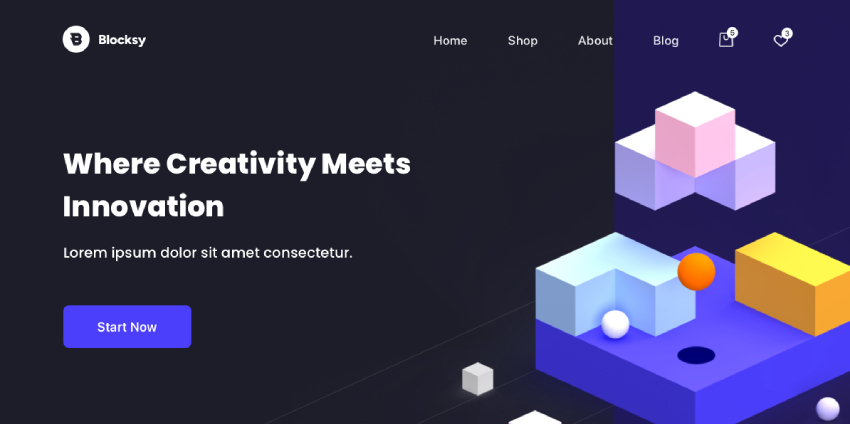
Blocksy is one of those themes I started recommending when WordPress moved heavily toward blocks and modern front-end performance. I’ve used Blocksy on multiple websites, and what impressed me the most is how feature-rich it is without feeling heavy.
Blocksy is built using modern technologies like React and is fully optimized for Gutenberg, SEO, and Core Web Vitals. Even with advanced design options, it stays surprisingly lightweight.
Why Blocksy Is Fast
Blocksy is designed with performance in mind from the ground up. It uses conditional asset loading, which means CSS and JavaScript files are loaded only when required.
From my testing, Blocksy performs very well in:
- Largest Contentful Paint (LCP)
- Cumulative Layout Shift (CLS)
- Total Blocking Time (TBT)
With good hosting and caching, Blocksy-powered websites can easily achieve high PageSpeed scores.
Key Features That Support Speed & UX
Blocksy offers many features, but they are well-organized and performance-focused.
- Lightweight core with modern codebase (Free + Pro)
- Gutenberg-first and block-optimized design (Free + Pro)
- React-based Customizer for faster UI (Free + Pro)
- Advanced header & footer builder (Free + Pro)
- Smart CSS loading and minimal JS usage (Free + Pro)
- Advanced layout, typography, and spacing controls (Pro)
- WooCommerce performance enhancements (Pro)
Even with these features enabled, Blocksy avoids unnecessary bloat.
Free vs Pro – What You Should Know
The free version of Blocksy is very powerful and suitable for most websites. It includes:
- Header & footer builder
- Responsive controls
- Gutenberg compatibility
- SEO-friendly markup
The Pro version is useful when you need:
- Advanced design customization
- More WooCommerce flexibility
- Conditional layouts and content
I usually suggest starting with the free version and upgrading only if you really need the extra features.
SEO & Core Web Vitals Benefits
Because of its clean structure and modern code, Blocksy helps with:
- Faster page rendering
- Stable layouts (low CLS)
- Better crawlability for search engines
This makes it a solid choice for SEO-focused websites, blogs, and business sites.
Who I Recommend Blocksy For
Based on my experience, Blocksy works best for:
- Gutenberg-based blogs and websites
- Business and agency websites
- WooCommerce stores
- Users who want modern design + performance
If you want a theme that feels future-ready and still loads fast, Blocksy is a great option.
My Final Thoughts on Blocksy
Blocksy proves that a theme can be modern, flexible, and fast at the same time. It doesn’t force you to choose between design and performance.
If you are building a block-based WordPress website and want strong performance with advanced customization, Blocksy is definitely worth trying.
Quick Comparison: Best Lightweight WordPress Themes for Speed
| Feature / Theme | GeneratePress | Kadence | Blocksy |
|---|---|---|---|
| Core Focus | Pure performance & clean code | Performance + design balance | Modern design + blocks |
| CSS Size | Extremely small (<10 KB) | Lightweight | Lightweight with smart loading |
| jQuery Dependency | No | No | No |
| Gutenberg Support | Yes | Yes | Yes |
| Customization Level | Medium (Pro needed) | High | Very High |
| WooCommerce Optimization | Pro | Free + Pro | Pro |
| Best For | SEO blogs, affiliates, dev sites | Business & content sites | Block-based & WooCommerce |
| Beginner Friendly | 4 | 4.5 | 4.5 |
Frequently Asked Questions (FAQs)
1. Which is the fastest lightweight WordPress theme?
From my experience, GeneratePress is one of the fastest lightweight WordPress themes available. Its minimal CSS, no jQuery dependency, and clean code structure make it ideal for performance-focused and SEO-driven websites.
2. Are lightweight WordPress themes good for SEO?
Yes. Lightweight WordPress themes load faster, reduce render-blocking resources, and improve Core Web Vitals, which directly impact SEO rankings. Themes like GeneratePress, Kadence, and Blocksy are built with SEO-friendly markup and performance best practices.
3. Can I build a professional website using free lightweight themes?
Absolutely. The free versions of GeneratePress, Kadence, and Blocksy are powerful enough to build blogs, business websites, and even basic WooCommerce stores. You only need the Pro version if you want advanced layout, typography, or WooCommerce customization.
4. Is GeneratePress better than Astra or Blocksy for speed?
When it comes to pure performance and minimal load, GeneratePress usually performs better. However, Blocksy and Astra offer more built-in design features. The best choice depends on whether you prefer speed-first simplicity or design flexibility.
6. Do lightweight themes work well with Gutenberg?
Yes. Modern lightweight themes are built for Gutenberg and block-based editing. Blocksy and Kadence are especially optimized for block workflows, while GeneratePress keeps things clean and fast without overriding core block styles.
7. Will changing my theme improve website speed?
In many cases, yes. Switching from a heavy multipurpose theme to a lightweight theme can significantly improve page load time, LCP, and TBT. However, hosting quality, caching, and image optimization also play a major role.
8. Is a Pro version necessary for performance?
No. Performance is already excellent in the free versions. Pro versions mainly add design and layout controls, not speed. If speed is your only goal, the free version is usually enough.
Final Verdict
The best lightweight WordPress theme for speed depends on your website goals.
- Choose GeneratePress if your top priority is maximum performance, clean code, and SEO.
- Choose Kadence if you want more design flexibility without sacrificing speed.
- Choose Blocksy if you are building a modern, Gutenberg-based or WooCommerce website and want advanced features with good performance.
All three themes are fast, SEO-friendly, and Core Web Vitals ready, especially when paired with good hosting and caching. I always recommend starting with the free version, testing real-world performance, and upgrading to Pro only when you actually need advanced features.
If speed, scalability, and long-term SEO matter to you, any of these themes will give you a strong foundation — the final choice comes down to simplicity vs customization.