
What Is a Content Locker?
When I first started building WordPress blogs, publishing great content was enough to grow traffic. But over time, I realized that traffic alone doesn’t build an audience—conversions do. That’s exactly where content locker plugins for WordPress come in.
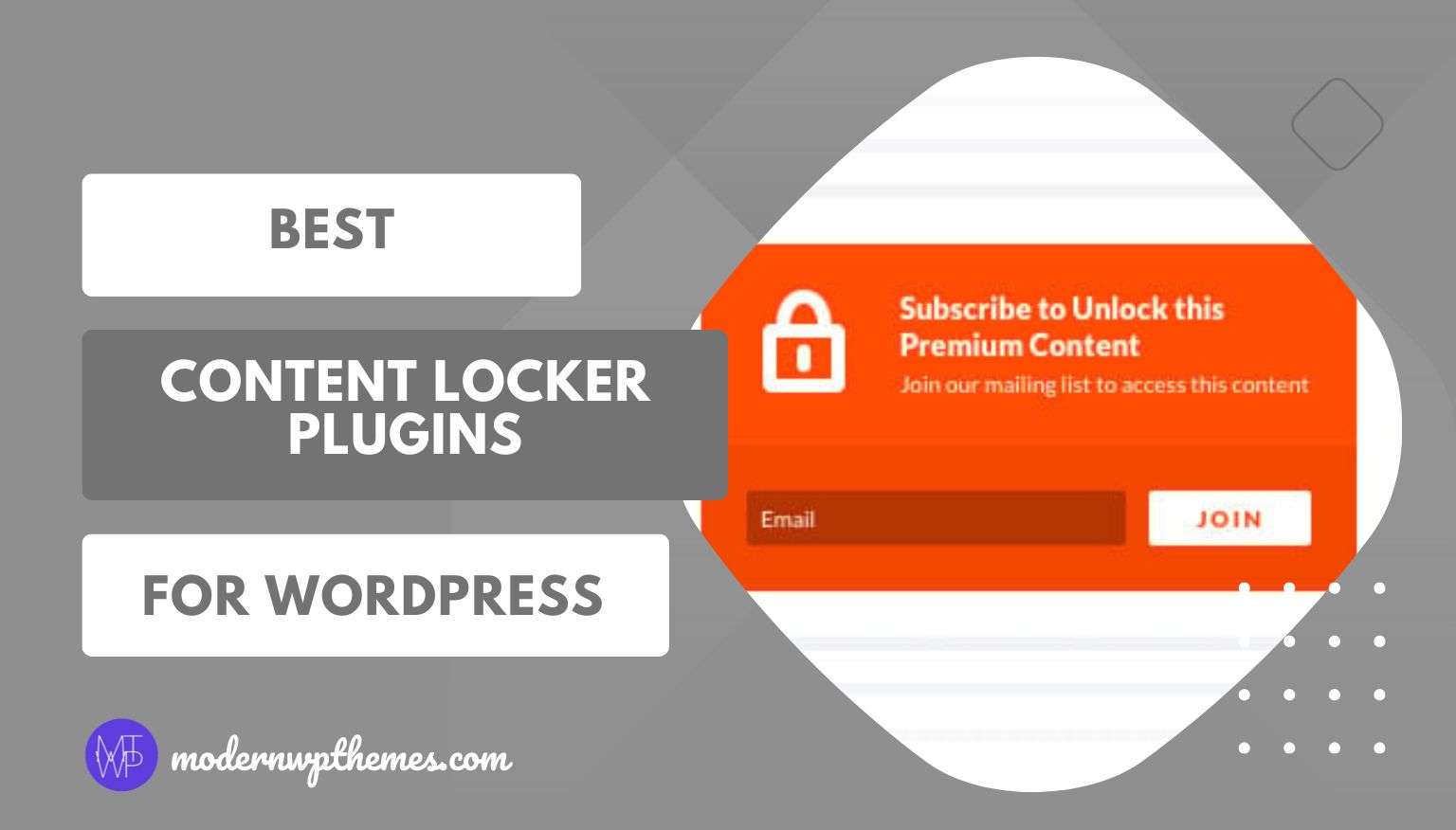
A content locker is a feature that allows you to restrict access to specific parts of your content until the user completes an action. This action is usually something valuable for your website, such as subscribing to an email list, logging in, or sharing content on social media. Instead of giving everything away for free, you strategically gate premium or high-value content.
In WordPress, content lockers are commonly used to lock:
- In-depth tutorials or guides
- Downloadable resources like PDFs, templates, or tools
- Exclusive blog sections or bonus tips
- Members-only or lead-generation content
From my experience, content lockers work best when they are used selectively and thoughtfully. Locking an entire blog post can frustrate users, but locking a valuable section or resource often increases sign-ups without hurting user experience.
Another reason content lockers matter is perceived value. When something is gated, readers automatically assume it’s premium. This psychological trigger helps turn casual visitors into subscribers, which is far more valuable than one-time page views.
However, content locking isn’t a one-size-fits-all solution. If your website is new or your content doesn’t yet provide clear value, locking it too early can backfire. That’s why choosing the right content locker plugin and using it strategically is just as important as the content itself.
In the next section, I’ll walk you through the best content locker plugins for WordPress that I’ve seen work reliably for bloggers, marketers, and business websites.
Best Content Locker Plugins for WordPress
Over the years, I’ve tested multiple ways to lock content in WordPress, and one thing is clear: the plugin you choose can make or break your conversion strategy. Some tools focus purely on email collection, while others are built for advanced targeting and high-conversion campaigns. Below are three of the best content locker plugins for WordPress that consistently perform well for different types of websites.
1. Bloom by Elegant Themes
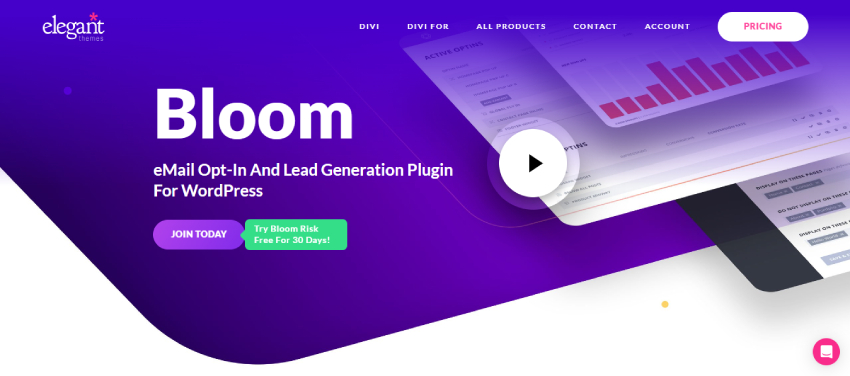
Bloom is one of the earliest tools I used for email-based content locking, and even in 2026, it remains a reliable choice—especially if you’re already using Divi or any Elegant Themes product. Unlike complex SaaS tools, Bloom works entirely inside WordPress, which makes it appealing for bloggers who want simplicity without sacrificing control.
Bloom allows you to lock specific content sections and unlock them when a visitor subscribes to your email list. What I personally like is that you don’t need to restructure your content or create separate gated pages. You can simply decide which part of your content deserves premium access and lock only that section.
From a practical usage standpoint, Bloom gives you two flexible ways to restrict content. If you prefer shortcodes, you can wrap any piece of content inside a locked-content shortcode and instantly turn it into gated content. This works well when you want precise control, especially inside long blog posts or tutorials.
On the other hand, Divi users can take advantage of the locked-content widget, which lets you visually restrict premium sections directly inside the Divi Builder. This makes Bloom particularly powerful for non-technical users.

Design-wise, Bloom doesn’t feel outdated. In 2026, it still offers clean, conversion-focused opt-in forms that blend nicely with modern WordPress themes. You can customize colors, animations, triggers, and display behavior without touching code. Since Bloom integrates with most popular email marketing services, it fits well into existing email workflows.
One important thing I always consider is SEO, and Bloom handles this correctly. For SEO best practices, locked content is not visible to search engines, which prevents indexing gated sections incorrectly. This helps maintain content integrity while ensuring Google doesn’t penalize the page for hidden content manipulation.
That said, Bloom is clearly designed with email list growth in mind. If your goal is social sharing locks or advanced behavioral targeting, you may find it limited. But for bloggers, educators, and Divi-based websites, Bloom strikes a good balance between ease of use and effectiveness.
Pros
- Deep integration with Divi and Elegant Themes ecosystem
- Simple shortcode-based and visual content locking options
- Clean and professional opt-in designs
- SEO-friendly handling of locked content
Cons
- No free version available
2. Subscribe to Unlock Lite – Opt In Content Locker Plugin for WordPress
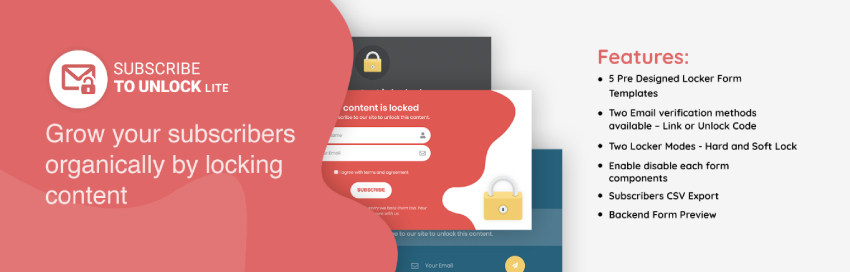
If you’re looking for a free and flexible content locker plugin, Subscribe to Unlock Lite is one of the most practical options available in 2025. I often recommend this plugin to beginners or small website owners who want to experiment with content locking without investing in a premium tool upfront.
What makes Subscribe to Unlock Lite stand out is its clear focus on content restriction through email subscriptions, while still offering a surprising level of customization for a free plugin. Instead of forcing a single locking method, it gives you control over how users experience gated content.
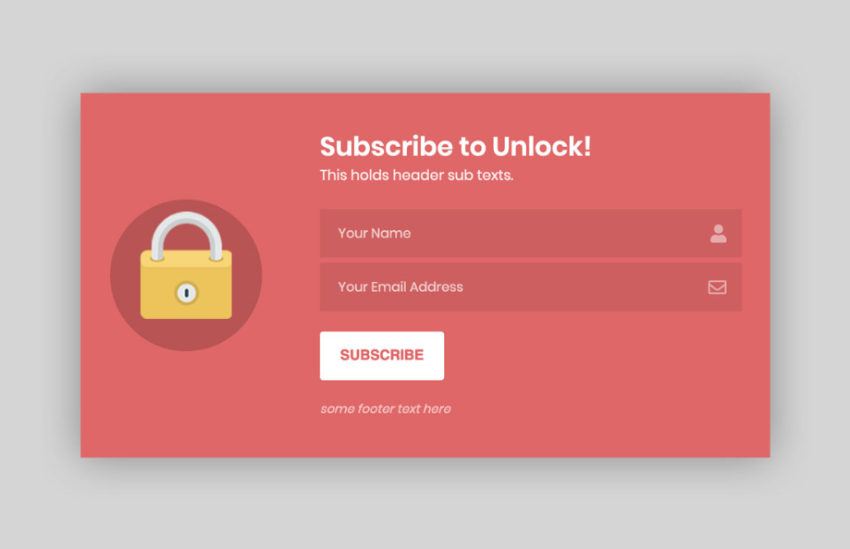
The plugin works by allowing you to choose from multiple pre-designed subscription form templates that blend easily with most WordPress themes. You can then decide how strict the lock should be. With Hard Lock, the content stays fully hidden until the user subscribes, while Soft Lock allows a preview—something I find useful when you want to tease value without frustrating users.
One feature I genuinely appreciate is the email verification system. You can require users to confirm their email either through a verification link or an unlock code, which helps reduce fake or low-quality signups. This is especially helpful if you’re serious about maintaining a clean subscriber list.
From a usability perspective, Subscribe to Unlock Lite keeps things simple. You can lock content directly from the post editor, preview the form in the backend before publishing, and even customize which form elements appear. The Ajax-based form submission ensures users don’t experience page reloads, which improves overall engagement.
The plugin is also built with real-world usage in mind. It supports CSV export, making it easy to manage subscribers, and it’s fully responsive across devices and browsers. For multilingual or global websites, the plugin being translation-ready is a big plus in 2025.
That said, while the free version is powerful, some advanced features—like locking entire pages with popups, countdown timers, deeper styling options, and integrations with email services such as Mailchimp, Brevo, and MailerLite—are reserved for the premium version. Still, even the Lite version is more than enough to get started with content locking the right way.
Pros
- One of the best free content locker plugins for WordPress
- Hard Lock and Soft Lock options for better user experience
- Email verification improves subscriber quality
- Ajax form submission for smooth interactions
- Device-friendly, translation-ready, and beginner-friendly
Cons
- Advanced features are locked behind the premium version
- Design flexibility is good but not enterprise-level
3. OptinMonster
OptinMonster deserves special attention because it handles content locking very differently from traditional WordPress plugins. Instead of relying only on shortcodes or static locks, OptinMonster focuses on smart content gating designed for lead generation and monetization.
In 2026, OptinMonster’s Content Lock feature has become one of its strongest tools. I’ve seen it work especially well on blogs and business websites where the goal isn’t just traffic—but qualified subscribers. With Content Lock, you can hide any portion of your content and reveal it only after a visitor takes action, such as subscribing to your email list.
What makes this approach powerful is flexibility. You’re not limited to locking entire pages. You can gate:
- Bonus sections inside blog posts
- Advanced tips or exclusive insights
- Download links or embedded resources
- Premium content previews
This creates a natural incentive for users to subscribe without feeling forced.
OptinMonster also supports social-style content locking indirectly through its campaign system. While it doesn’t use classic “share-to-unlock” mechanics, it achieves a similar result using inline opt-in forms, popups, and page-level targeting. You can show different content locks based on visitor behavior, traffic source, or engagement level—something most traditional content locker plugins can’t do.
One feature I rely on heavily is page-level targeting. This allows you to turn your best-performing blog posts into lead magnets automatically. Instead of creating new gated resources, you simply lock high-value sections of content that are already attracting traffic.
Another underrated advantage is perceived value creation. When visitors see premium content hidden behind a lock, it feels exclusive. In my experience, this significantly increases opt-in rates—especially when paired with smart copy and A/B testing. OptinMonster lets you test different locking strategies to see whether users are more willing to subscribe, pay, or join a membership.
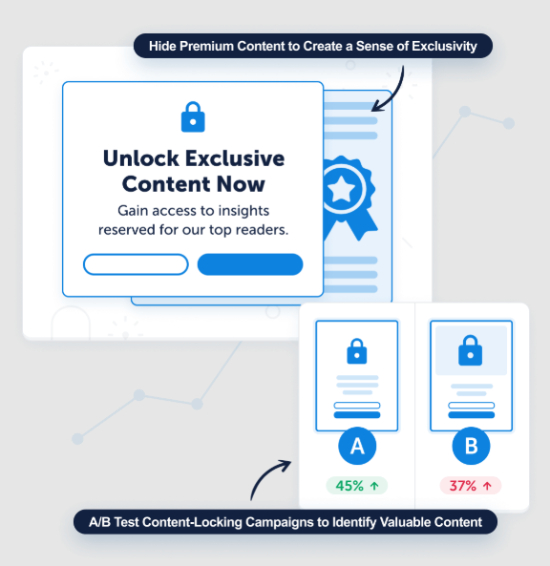
Beyond lead generation, OptinMonster also works well for content monetization. You can use gated content to:
- Offer paid access to premium articles
- Create membership-style content experiences
- Monetize reports, guides, or exclusive resources
Because OptinMonster is a SaaS-based platform, it doesn’t slow down your WordPress site. Most processing happens externally, which helps maintain performance, Core Web Vitals, and scalability—an important factor for growing websites in 2026.
Analytics is another strong point. OptinMonster integrates with tools like Google Analytics, allowing you to track which gated content converts best. This data-driven approach helps refine your content strategy over time instead of relying on guesswork.
That said, OptinMonster is clearly built for marketers and serious site owners. If you only want a simple shortcode-based content locker, it may feel like more than you need. But if your goal is automated lead generation, smarter content locking, and long-term growth, OptinMonster is hard to beat.
Pros
- Advanced content locking with behavior-based targeting
- Turns existing content into high-converting lead magnets
- Excellent for email growth and premium content monetization
- SaaS-based, so minimal impact on WordPress performance
- Powerful A/B testing and analytics support
Cons
- No free content locking features
- Requires a paid subscription
- Can feel complex for beginners
Feature Comparison of the Best Content Locker Plugins for WordPress
To make the decision easier, I always like to compare plugins side by side. Each of these content locker plugins serves a different type of WordPress user, so there’s no “one-size-fits-all” winner here.
| Plugin Name | Free / Paid | Content Locking Method | Customization Level | Email Integrations | Best For |
|---|---|---|---|---|---|
| Bloom (Elegant Themes) | Paid | Email-based content locking via shortcode or Divi widget | Medium | Most major email services | Bloggers & Divi users |
| Subscribe to Unlock Lite | Free (Premium available) | Email subscription & soft/hard content locking | Medium | Limited (more in premium) | Beginners & small sites |
| OptinMonster | Paid (SaaS) | Inline campaigns, popups, behavior-based locking | High | Advanced integrations | Marketers & businesses |
From my experience, this comparison makes one thing clear: your goal matters more than the feature list. A simple blog doesn’t need enterprise-level targeting, while a business site will quickly outgrow basic content lockers.
Which Content Locker Plugin Should You Choose?
Choosing the right content locker plugin depends entirely on what you want to achieve with your WordPress website. Here’s how I usually break it down.
If you’re a blogger or content creator using Divi, Bloom is a solid choice. It integrates naturally with Divi, doesn’t require third-party dashboards, and keeps everything inside WordPress. I find it ideal when the primary goal is email list growth through premium content, without unnecessary complexity.
If you’re just starting out or want a free solution, Subscribe to Unlock Lite is surprisingly capable. It allows you to test content locking strategies, experiment with soft and hard locks, and build an initial subscriber base. For small websites or side projects, this plugin offers excellent value without financial commitment.
If you run a business website, SaaS product, or high-traffic blog, OptinMonster is the strongest option. Its advanced targeting, behavior-based triggers, and A/B testing tools make a noticeable difference in conversions. In my opinion, this is the best choice when content locking is part of a larger marketing and revenue strategy.
In short:
- Go with Bloom for simplicity and Divi integration
- Choose Subscribe to Unlock Lite for a free, beginner-friendly start
- Pick OptinMonster when performance, targeting, and conversions matter most
FAQs – Content Locker Plugins for WordPress
1. Are content locker plugins bad for SEO?
No, content locker plugins are not bad for SEO when used correctly. From my experience, the key is to avoid locking the entire page. Instead, lock only premium or bonus sections. Plugins like Bloom and OptinMonster handle this safely by keeping locked content hidden from search engines or revealing it dynamically, which aligns with Google’s guidelines.
2. How much content should I lock in WordPress?
I usually recommend locking 20–40% of high-value content, not the core information. Give readers enough value upfront, then gate advanced tips, downloadable resources, or exclusive insights. This approach improves conversions without hurting user experience.
3. Can I use content lockers without an email marketing service?
Yes, some plugins like Subscribe to Unlock Lite allow you to collect and export subscriber data via CSV. However, if you want automation and long-term growth, integrating an email service is always the better option.
4. Which content locker plugin is best for beginners?
If you’re just starting out, Subscribe to Unlock Lite is the easiest and safest choice. It’s free, simple to configure, and gives you enough flexibility to understand how content locking works before upgrading to a premium solution.
5. Can content lockers work with caching and performance plugins?
Yes. Most modern content locker plugins work well with caching tools. In fact, SaaS-based tools like OptinMonster are especially performance-friendly because most processing happens outside your WordPress server.
Final Verdict
After working with multiple WordPress websites and testing different content locking strategies, I can confidently say that there is no single “best” content locker plugin for everyone. The right choice depends entirely on your goals, experience level, and website size.
If you’re a blogger or Divi user who wants a clean, WordPress-native solution for email-based content locking, Bloom is a solid and reliable option. It keeps everything simple, integrates perfectly with Divi, and works well for growing an email list through premium content.
If you’re on a budget or just getting started, Subscribe to Unlock Lite is one of the best free content locker plugins available in 2025. It gives you enough flexibility to test content locking strategies without overwhelming you, making it ideal for beginners and small websites.
If your focus is serious lead generation, content monetization, and conversion optimization, OptinMonster stands out as the most powerful choice. Its advanced targeting, content locking, analytics, and scalability make it ideal for business websites, high-traffic blogs, and marketers who want results on autopilot.
Quick Recommendation
- Best free content locker: Subscribe to Unlock Lite
- Best for Divi users: Bloom
- Best for conversions & monetization: OptinMonster
Used strategically, content lockers can transform your WordPress site from a traffic-only platform into a lead-generating and revenue-driven asset. The key is to lock the right content, use the right plugin, and always prioritize user experience.