
Running a WordPress blog in 2025 is no longer limited to writing good content. Today, successful bloggers focus on speed, SEO optimization, consistency, content repurposing, and automation — and this is exactly where AI tools for WordPress bloggers play a game-changing role.
From generating blog ideas and writing long-form articles to optimizing posts for search engines, designing visuals, and managing editorial workflows, AI tools can save hours of manual work every week.
In this detailed guide, you’ll discover the best AI tools for WordPress bloggers in 2025, how they work, and how to use them effectively without hurting your SEO.
Why WordPress Bloggers Should Use AI Tools
AI is no longer optional for bloggers who want to grow. Whether you’re running a personal blog, niche website, affiliate site, or content agency, AI tools give you a competitive advantage.
Key Benefits of Using AI for Blogging
AI tools help WordPress bloggers to:
- Write blog posts faster without compromising quality
- Generate SEO-optimized outlines and content ideas
- Improve on-page SEO automatically
- Create blog images, banners, and featured visuals
- Repurpose content for social media and videos
- Maintain consistency in publishing
- Automate repetitive blogging tasks
Instead of replacing human creativity, AI enhances productivity, allowing bloggers to focus on strategy, originality, and audience engagement.
Best AI Tools for WordPress Bloggers (Quick Overview)
| AI Tool | Best For |
|---|---|
| ChatGPT | Blog writing, outlines, content ideas |
| ClearPost | Hands-off SEO growth on autopilot |
| Jasper AI | SEO-friendly marketing content |
| Rank Math AI | WordPress on-page SEO optimization |
| Surfer SEO | Content optimization & keyword usage |
| Canva AI | Blog images & featured graphics |
| Grammarly | Grammar, tone & readability |
| Pictory AI | Blog-to-video conversion |
| Notion AI | Content planning & organization |
1. ChatGPT – Best AI Tool for Blog Writing
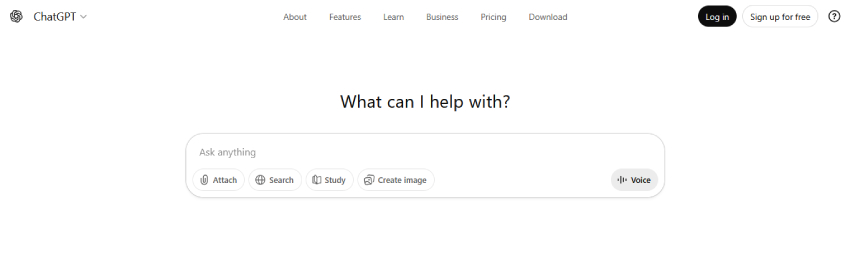
Best for: Blog writing, outlines, FAQs, content ideas, meta descriptions, and content repurposing
If I had to recommend one AI tool every WordPress blogger should start with, it would be ChatGPT.
I’ve personally used ChatGPT for everything from brainstorming blog ideas to creating long-form content drafts, and it has completely changed how fast I can publish content without burning out.
ChatGPT doesn’t just write content — it helps you think like a content strategist.
How I Use ChatGPT for WordPress Blogging
Here’s how ChatGPT fits into my daily blogging workflow:
- I generate blog post outlines before writing
- I create first drafts for long-form articles
- I write FAQs optimized for SEO and schema
- I draft meta titles and meta descriptions
- I repurpose blog content into social media captions
- I rewrite paragraphs to improve clarity and flow
Instead of starting from a blank page, I start with a solid structure, which saves me a huge amount of time.
Why ChatGPT Works So Well for Bloggers
What I like most about ChatGPT is its flexibility. Whether I’m writing a technical WordPress tutorial or a beginner-friendly guide, I can adjust the tone instantly.
ChatGPT is especially useful for:
- Overcoming writer’s block
- Creating SEO-friendly content quickly
- Expanding short ideas into detailed sections
- Simplifying complex WordPress concepts
For bloggers managing multiple websites or posting consistently, this tool feels like having a writing assistant available 24/7.
ChatGPT + WordPress: How I Use Them Together
While ChatGPT doesn’t replace WordPress, it integrates perfectly into the workflow.
My usual process looks like this:
- Generate an outline in ChatGPT
- Write the first draft using AI assistance
- Paste the content into the WordPress editor
- Optimize it using Rank Math or another SEO plugin
- Add personal insights, examples, and screenshots
This approach keeps the content AI-assisted but human-written, which is exactly what Google prefers.
Pros of Using ChatGPT for Blogging
- Saves massive time in content creation
- Excellent for brainstorming and ideation
- Beginner-friendly interface
- Works for almost every niche
- Helps maintain publishing consistency
Limitations You Should Know
From my experience, ChatGPT is powerful, but it’s not perfect:
- It can sometimes sound generic if not edited
- Facts and data need verification
- SEO optimization still requires a dedicated SEO tool
- Personal experience must be added manually
That’s why I always treat ChatGPT as a content assistant, not a replacement for human judgment.
Best Use Case for ChatGPT
ChatGPT works best for:
- New bloggers who want to publish faster
- Niche site owners managing multiple posts
- WordPress users creating long-form content
- Bloggers who want ideas, structure, and speed
If you combine ChatGPT with proper SEO optimization and your own experience, it becomes one of the most valuable AI tools for WordPress blogging.
2. ClearPost – Best AI Tool for Hands-Off SEO Growth

Best for: Organic traffic growth, autopilot content publishing, keyword research, SEO-optimized blog posts, and getting found on ChatGPT and Gemini.
Out of every AI tool I’ve tried for blogging, ClearPost is the only one that actually grows my organic traffic while I do nothing. Most AI tools help you write faster. ClearPost replaces the entire content operation: it picks the topics, researches the keywords, writes the posts, and publishes them to WordPress on a schedule. I set it up once, and now the site grows in the background like an employee who doesn’t take weekends off.
It’s a different category of tool. It doesn’t assist with content, it runs content.
How I Use ClearPost for WordPress Blogging
Here’s exactly how ClearPost fits into my blogging workflow:
- I answer a few questions about the business (niche, audience, goals)
- ClearPost analyzes the site and picks the keywords I should actually rank for
- It builds a content calendar of 30+ topics I can edit or approve
- It writes each post with SEO structure, internal links, and source citations
- It publishes directly to WordPress on the schedule I set
- I check the rank tracking dashboard once a week to see what’s climbing
The whole point is that after the initial setup, I don’t touch it. The posts ship whether I’m at my desk or not.
Why ClearPost Works So Well for Bloggers
What makes ClearPost different from other AI writers is that it owns the entire funnel. Every other tool on this list still needs me in the loop, picking topics, writing prompts, formatting the post, hitting publish. ClearPost handles all of that autonomously.
It’s especially useful for:
- Bloggers who don’t have time to publish consistently
- Small business owners who need organic leads but not another full-time job
- Marketers running multiple sites that each need their own content engine
- Anyone tired of writing prompts and wants the outcome instead
The result is a blog that grows without you, which is what every blogger actually wants.
ClearPost + WordPress: How They Work Together
ClearPost is a native WordPress plugin, so it lives in your dashboard and publishes straight to your site. No copy-pasting, no Google Docs, no manual reformatting.
My usual process looks like this:
- Install ClearPost from the WordPress plugin directory
- Connect it to the site (takes 2 minutes)
- Answer a short onboarding about the business and audience
- Review the first calendar of posts it generates
- Let it run on autopilot and check back weekly
Posts show up in WordPress drafts or go live automatically, whichever you prefer. There’s also a built-in editor chat so you can tweak tone or add personal insights to any specific post.
Pros of Using ClearPost for Blogging
- Grows organic traffic on autopilot with no daily input required
- Gets you recommended on ChatGPT, Claude, and Gemini, not just Google
- Ranks for keywords your audience actually searches for
- Built-in keyword rank tracking so you can see what’s working
- Works in 150+ languages for international sites
Limitations You Should Know
ClearPost is powerful, but it’s built for a specific use case:
- Focused on long-form SEO posts, not short-form social content or ad copy
- $99/month is higher than most tools on this list
- Less “pick every word yourself” control than a manual AI writer, though the built-in editor chat lets you customize any post before it publishes
If you want to hand-pick every topic and write every word, ClearPost isn’t the right fit. If you want organic growth without the grind, it’s the only tool I’ve found that actually delivers it.
Best Use Case for ClearPost
ClearPost works best for:
- Small business owners who need organic leads but not another full-time job
- Bloggers who want consistent SEO traffic without writing every post
- Marketing teams running content across multiple brands or sites
- Anyone tired of managing a content calendar manually
If you want your site to grow on autopilot instead of spending hours every week on topics and drafts, ClearPost is the only tool on your list built for that outcome.
3. Jasper AI – Best AI Tool for Marketing-Focused WordPress Blogs
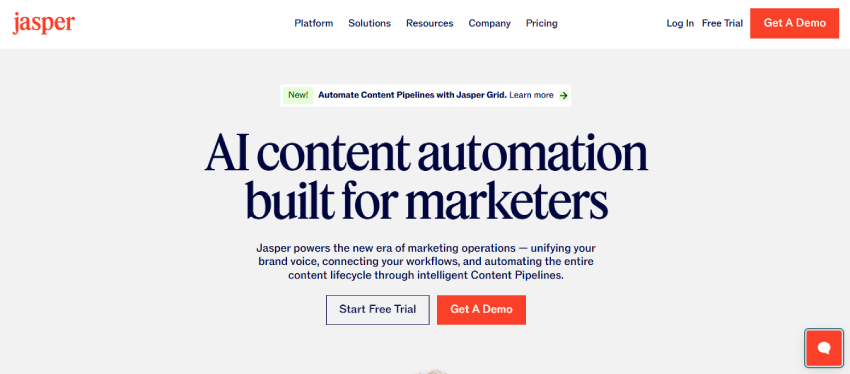
Best for: Conversion-focused blog content, affiliate articles, product reviews, and brand-driven writing
When my goal is not just traffic but conversions, I turn to Jasper AI.
From my experience, Jasper AI shines when you’re running a monetized WordPress blog — especially affiliate sites, SaaS blogs, or business websites where writing needs to persuade, not just inform.
Unlike general AI writers, Jasper is built with marketing psychology in mind.
How I Use Jasper AI for My WordPress Blogs
I mainly use Jasper AI when I need content that:
- Converts readers into buyers
- Promotes affiliate products naturally
- Maintains a consistent brand tone
- Feels persuasive but not salesy
Here’s how it fits into my workflow:
- Writing affiliate product reviews
- Creating comparison articles (Tool A vs Tool B)
- Drafting call-to-action sections
- Improving existing blog posts for better conversions
- Maintaining a consistent voice across multiple posts
When content is tied directly to revenue, Jasper gives me better results than generic AI tools.
What Makes Jasper AI Different from Other AI Writers
The biggest difference I’ve noticed is intent.
Jasper doesn’t just help you write — it helps you sell through content while still keeping it readable and SEO-friendly.
Key strengths include:
- Pre-built blog and marketing templates
- SEO-focused writing mode
- Brand voice memory (huge for agencies)
- Cleaner, more polished output for commercial content
For WordPress bloggers focused on affiliate income or lead generation, this makes a big difference.
Jasper AI + WordPress: My Practical Workflow
This is how I personally combine Jasper with WordPress:
- Create a rough outline (sometimes in ChatGPT)
- Write conversion-focused sections using Jasper
- Paste content into WordPress editor
- Optimize SEO using Rank Math or Surfer SEO
- Add real examples, screenshots, and personal insights
This hybrid approach keeps the content human, persuasive, and Google-friendly.
Pros of Using Jasper AI
- Excellent for affiliate and commercial blogs
- Strong focus on conversions and CTAs
- Brand tone consistency across posts
- Clean, marketing-ready content output
Limitations Based on My Experience
Jasper AI is powerful, but you should be aware of a few things:
- It’s not ideal for purely informational or technical tutorials
- Requires subscription (not beginner-budget friendly)
- SEO optimization still needs external tools
- Personal experience still needs to be added manually
That’s why I use Jasper selectively — mainly for money pages, not every blog post.
Best Use Case for Jasper AI
In my opinion, Jasper AI is best suited for:
- Affiliate marketers
- SaaS and product blogs
- Business websites
- Agencies managing multiple brands
- Bloggers focused on monetization
If your WordPress blog is built to generate revenue, Jasper AI can significantly improve your content performance.
4. Rank Math AI – Best AI SEO Tool for WordPress
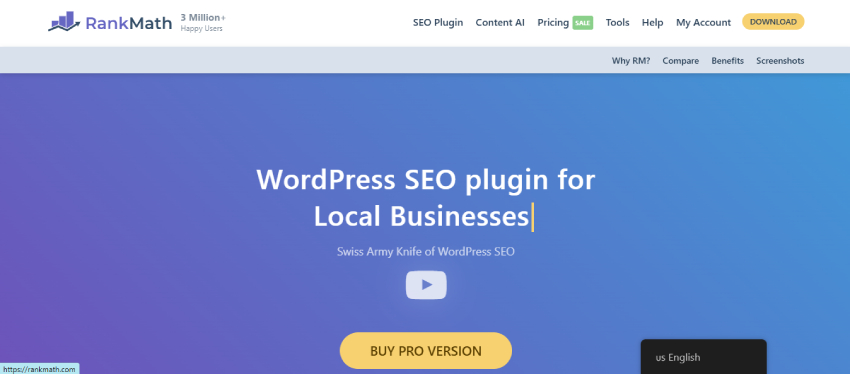
Best for: On-page SEO optimization directly inside WordPress
If there’s one AI tool I use on almost every WordPress blog post, it’s Rank Math AI.
As someone who has worked on multiple WordPress websites, I can confidently say that Rank Math AI has made SEO far more practical and less time-consuming. Instead of guessing what Google wants, I get real-time, data-driven suggestions right inside the WordPress editor.
How I Use Rank Math AI in My Blogging Workflow
Rank Math AI comes into play after the content is written.
Here’s exactly how I use it:
- I set my focus keyword
- Rank Math AI analyzes the content instantly
- I follow suggestions for:
- Keyword placement
- Heading optimization
- Content depth
- Internal linking
- Readability improvements
Because everything happens inside WordPress, I don’t need to switch between multiple tools.
Why Rank Math AI Works So Well for WordPress Bloggers
What I personally love about Rank Math AI is that it doesn’t just show problems — it tells you how to fix them.
It helps me:
- Improve SEO score without keyword stuffing
- Optimize content for search intent
- Write better meta titles and descriptions
- Identify missing SEO elements
- Maintain consistency across all blog posts
For bloggers who are not SEO experts, this tool acts like an SEO coach built into WordPress.
Rank Math AI + Content Writing (My Practical Approach)
My usual SEO workflow looks like this:
- Write the article using ChatGPT or Jasper
- Paste content into WordPress
- Enable Rank Math AI
- Optimize content based on AI suggestions
- Add internal links and FAQs
- Final SEO check before publishing
This process ensures the content is AI-assisted, human-edited, and search-engine friendly.
Pros of Using Rank Math AI
- Works directly inside WordPress
- Real-time SEO optimization suggestions
- Easy to use for beginners
- Excellent for on-page SEO
- Saves time compared to manual SEO checks
Limitations I’ve Noticed
While Rank Math AI is extremely useful, it’s important to understand its limits:
- AI credits are limited
- Doesn’t replace full keyword research tools
- Content quality still depends on the writer
- Needs human judgment for final decisions
I treat Rank Math AI as an SEO assistant, not a replacement for SEO strategy.
Best Use Case for Rank Math AI
From my experience, Rank Math AI is ideal for:
- WordPress bloggers of all levels
- Niche website owners
- Content-heavy blogs
- Beginners who want SEO guidance
- Professionals who want faster optimization
If you’re serious about SEO and already using WordPress, Rank Math AI is almost non-negotiable in 2025.
5. Surfer SEO – Best AI Tool for Content Optimization & Faster Rankings

Best for: Optimizing blog content to match top-ranking pages
When I’m targeting competitive keywords or writing content where rankings really matter, Surfer SEO is the tool I rely on.
In my experience, Surfer SEO works like a data-backed content blueprint. Instead of guessing how long an article should be or which keywords to include, I get clear, actionable recommendations based on what’s already ranking on Google.
How I Use Surfer SEO for WordPress Content
I usually bring Surfer SEO into my workflow before or during content writing.
Here’s how I personally use it:
- I enter my primary keyword
- Surfer analyzes top-ranking competitors
- I follow its recommendations for:
- Word count range
- Heading structure
- Keyword and LSI usage
- Content depth
This approach helps me write content that’s SEO-aligned from the start, not optimized after publishing.
Why Surfer SEO Works So Well for Ranking-Focused Bloggers
What sets Surfer SEO apart, in my opinion, is that it removes guesswork from SEO writing.
It helps me:
- Match search intent more accurately
- Avoid over- or under-optimizing content
- Identify missing subtopics
- Use LSI and NLP keywords naturally
- Compete with authoritative websites
For WordPress bloggers in competitive niches, this level of precision is extremely valuable.
Surfer SEO + AI Writers (My Favorite Combo)
One workflow that works exceptionally well for me is:
- Generate a draft using ChatGPT or Jasper
- Optimize and expand content using Surfer SEO
- Paste optimized content into WordPress
- Final SEO polish with Rank Math AI
This combination ensures the content is AI-assisted, data-driven, and human-refined.
Pros of Using Surfer SEO
- Data-backed content recommendations
- Excellent LSI and NLP keyword suggestions
- Improves chances of ranking faster
- Works well with AI writing tools
- Ideal for long-form content
Limitations Based on My Experience
Surfer SEO is powerful, but it’s not for everyone:
- Paid tool (no long-term free plan)
- Can feel overwhelming for beginners
- Should not be followed blindly
- Requires editorial judgment
I always treat Surfer’s suggestions as guidelines, not strict rules.
Best Use Case for Surfer SEO
In my experience, Surfer SEO is best for:
- Competitive niches
- Affiliate and authority blogs
- Long-form SEO articles
- Bloggers serious about rankings
If SEO performance is a top priority, Surfer SEO is one of the strongest content optimization tools available.
6. Canva AI – Best AI Tool for Blog Images & Visual Content
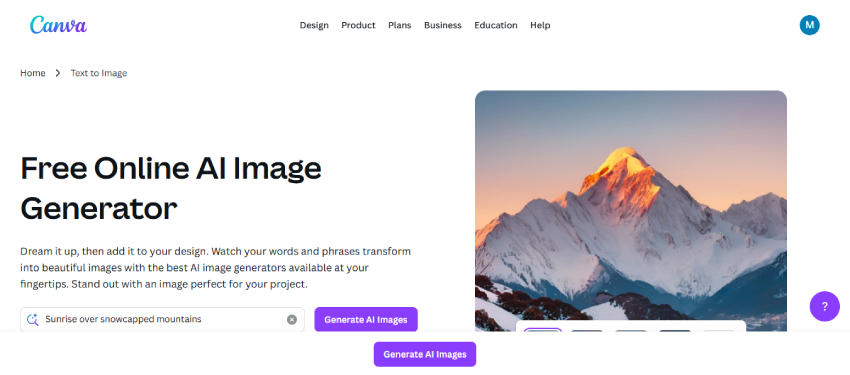
Best for: Featured images, blog banners, infographics, and social media graphics
As a WordPress blogger, I’ve learned that good visuals are no longer optional. Featured images, in-post graphics, and social media visuals play a huge role in engagement, click-through rate, and even SEO.
This is exactly why Canva AI is a tool I use regularly.
I’m not a professional designer, and honestly, I don’t want to be. Canva AI allows me to create clean, professional-looking graphics in minutes, without any design background.
How I Use Canva AI for My WordPress Blog
Canva AI fits perfectly into my content workflow after the article is written.
Here’s how I personally use it:
- Create featured images for blog posts
- Design blog banners and section dividers
- Generate AI images using text prompts
- Build Pinterest pins for blog promotion
- Create Instagram and Facebook post graphics
Instead of spending hours in Photoshop, I finish everything in Canva within minutes.
Why Canva AI Is Perfect for Bloggers (Not Designers)
What I really like about Canva AI is its simplicity.
It helps me:
- Maintain a consistent visual style across my blog
- Create engaging visuals without design skills
- Save time on repetitive design tasks
- Quickly resize designs for different platforms
The AI-powered design suggestions make the process even faster, especially when I’m short on time.
Canva AI + WordPress: My Simple Workflow
My usual visual workflow looks like this:
- Finalize the blog post in WordPress
- Open Canva and choose a blog image template
- Use AI tools to generate or enhance visuals
- Download optimized images
- Upload them to WordPress with proper alt text
This ensures my blog looks professional while staying SEO-friendly.
Pros of Using Canva AI
- Extremely beginner-friendly
- No design experience required
- Fast image and banner creation
- AI-powered image generation
- Works perfectly for bloggers and marketers
Limitations I’ve Faced
From my experience, Canva AI does have a few limitations:
- Advanced features require a paid plan
- Limited control compared to professional design tools
- AI images may need slight customization
- Not ideal for complex illustrations
Still, for blogging purposes, it’s more than enough.
Best Use Case for Canva AI
Canva AI is best suited for:
- WordPress bloggers
- Content creators
- Affiliate marketers
- Social media-focused blogs
- Small businesses and solo creators
If visuals matter for your blog (and they do), Canva AI is an essential tool in your content stack.
7. Grammarly – Best AI Tool for Editing, Readability & Tone
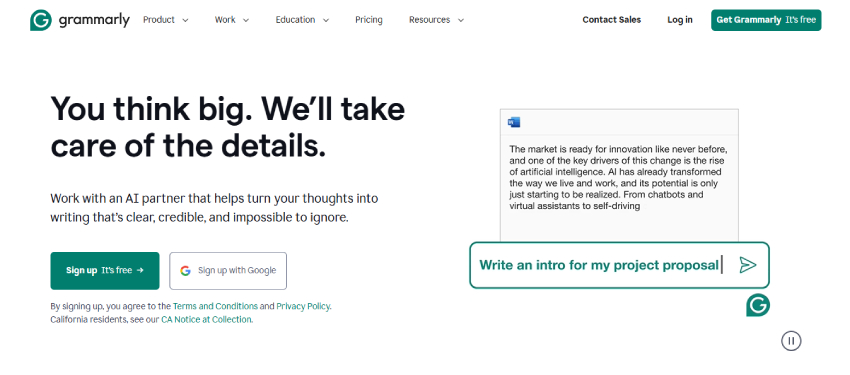
Best for: Grammar correction, readability improvement, and professional tone
No matter how good your content is, poor grammar or awkward sentences can ruin the reader’s experience. This is why Grammarly is a tool I rely on heavily before publishing any WordPress blog post.
Even when I use ChatGPT or Jasper to write drafts, I never publish content without running it through Grammarly first.
How I Use Grammarly in My Blogging Workflow
Grammarly is always my final quality-check tool.
Here’s how I personally use it:
- Check grammar and spelling mistakes
- Improve sentence clarity and flow
- Adjust tone (professional, friendly, confident)
- Remove unnecessary filler words
- Improve overall readability score
Because Grammarly works inside the browser and WordPress editor, I don’t need to copy content into another tool.
Why Grammarly Is Essential for WordPress Bloggers
What I appreciate most about Grammarly is that it doesn’t just correct mistakes — it teaches better writing habits over time.
It helps me:
- Make content easier to read for all audiences
- Maintain a consistent writing tone
- Avoid unintentional plagiarism-like phrasing
- Improve engagement and time on page
For bloggers who publish regularly, this consistency makes a noticeable difference.
Grammarly + AI-Written Content (My Honest Take)
AI-written content can sometimes feel robotic or repetitive. Grammarly helps smooth that out.
My usual process is:
- Write or generate content using AI tools
- Paste it into WordPress
- Use Grammarly to refine sentences
- Make manual edits for personal insights
This ensures the content sounds human, natural, and trustworthy.
Pros of Using Grammarly
- Real-time grammar and clarity suggestions
- Improves tone and readability
- Works directly in WordPress editor
- Beginner-friendly
- Saves editing time
Limitations I’ve Noticed
Grammarly is excellent, but it’s not perfect:
- Advanced features require a premium plan
- Sometimes suggestions feel too generic
- Doesn’t replace human editing entirely
- Not a full SEO tool
I treat Grammarly as an editor, not a content creator.
Best Use Case for Grammarly
From my experience, Grammarly is best for:
- WordPress bloggers
- Content writers and editors
- Non-native English writers
- Agencies and teams
- Anyone publishing long-form content
If you want your blog to sound professional and polished, Grammarly is a must-have.
8. Pictory AI – Turn Blog Posts into Videos
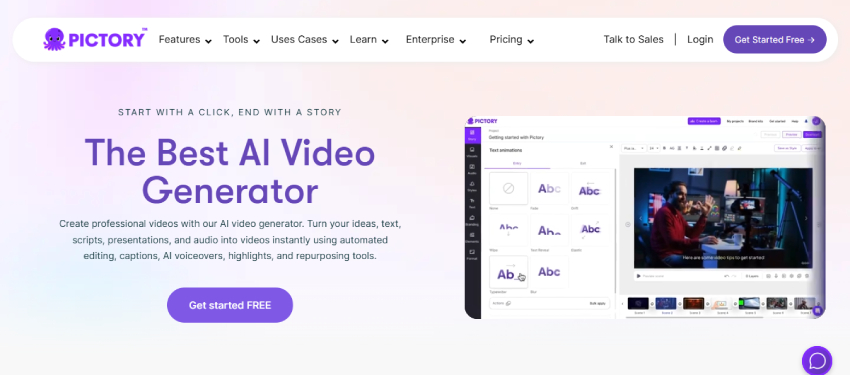
Best for: Converting blog posts into videos for YouTube, Reels, and social media
One thing I’ve learned over the years is this: written content alone is not enough anymore. If you want more reach, traffic, and visibility, you need to repurpose your blog content into videos.
That’s where Pictory AI comes in.
I use Pictory AI when I want to get more value out of a single blog post without spending time recording or editing videos manually.
How I Use Pictory AI for My WordPress Blog
Pictory AI fits into my workflow after a blog post is published.
Here’s how I personally use it:
- Paste my blog post URL or text into Pictory
- Let the AI automatically create a video storyboard
- Edit captions, scenes, and visuals
- Add background music or voice-over
- Export videos for different platforms
In less than 30 minutes, one blog post turns into multiple video assets.
Why Pictory AI Is So Useful for Bloggers
What I like most about Pictory AI is that it removes the technical barrier of video creation.
It helps me:
- Reach audiences on YouTube and Instagram
- Increase blog traffic from video platforms
- Save time on video editing
- Repurpose old blog posts easily
- Stay consistent across multiple content formats
For bloggers who don’t want to appear on camera, this tool is a lifesaver.
Pictory AI + WordPress (My Repurposing Strategy)
My usual content repurposing strategy looks like this:
- Publish SEO-optimized blog post
- Convert the blog into a video using Pictory AI
- Upload the video to YouTube or social platforms
- Link back to the original WordPress blog
- Drive additional traffic and backlinks
This strategy helps extend the lifespan of every blog post.
Pros of Using Pictory AI
- No video editing skills required
- Fast blog-to-video conversion
- Ideal for short-form and long-form videos
- Great for content repurposing
- Beginner-friendly interface
Limitations I’ve Experienced
While Pictory AI is powerful, it does have limitations:
- Customization is limited compared to manual editing
- Advanced features require a paid plan
- AI visuals may need tweaking
- Not suitable for complex storytelling videos
Still, for bloggers, the benefits far outweigh the limitations.
Best Use Case for Pictory AI
From my experience, Pictory AI works best for:
- WordPress bloggers
- Content marketers
- Affiliate marketers
- Solo creators
- Anyone repurposing long-form content
If you want to multiply your content reach without multiplying your workload, Pictory AI is worth using.
9. Notion AI – Best AI Tool for Content Planning & Editorial Workflow
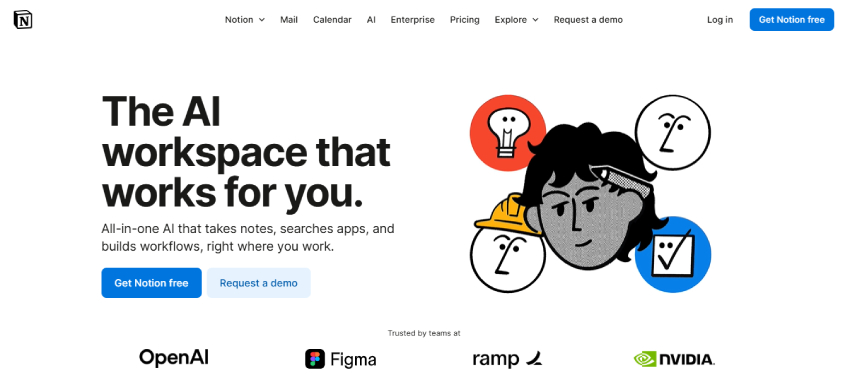
Best for: Content planning, editorial calendars, blog organization, and workflow management
As a WordPress blogger, I’ve realized that writing content is only half the job. The real challenge is staying organized, consistent, and strategic — and that’s where Notion AI plays a huge role in my workflow.
Whenever my blog content starts feeling scattered, Notion AI helps me bring structure and clarity back into the process.
How I Use Notion AI for My WordPress Blogs
Notion AI is not a writing tool for publishing — it’s a thinking and planning tool.
Here’s how I personally use it:
- Manage my editorial calendar
- Store and organize blog ideas
- Plan content clusters and silos
- Track post status (idea → draft → published)
- Summarize research notes using AI
- Improve rough content drafts before writing
It keeps everything in one place, which is critical when managing multiple blogs.
Why Notion AI Is So Valuable for Bloggers
What I love about Notion AI is how it improves decision-making, not just productivity.
It helps me:
- Stay consistent with publishing
- Plan content weeks or months ahead
- Reduce mental overload
- Collaborate better with writers or editors
- Turn messy notes into clear action plans
For me, it acts like a second brain for blogging.
Notion AI + WordPress (My Planning-to-Publishing Workflow)
Here’s my usual workflow:
- Brainstorm blog ideas in Notion AI
- Plan content clusters and keywords
- Create outlines and rough drafts
- Assign publishing dates
- Write content in AI tools or WordPress
- Track performance and updates
This system helps me scale content without chaos.
Pros of Using Notion AI
- Excellent content organization
- AI-powered summaries and idea expansion
- Ideal for long-term planning
- Works well for solo bloggers and teams
- Reduces content overwhelm
Limitations I’ve Noticed
- Notion AI is extremely helpful, but it has boundaries:
- Not meant for final content publishing
- Requires setup time initially
- AI features are limited on free plans
- Can feel overwhelming for beginners
- Once set up properly, though, it becomes incredibly powerful.
Best Use Case for Notion AI
From my experience, Notion AI is best for:
- WordPress bloggers managing content at scale
- Content teams and agencies
- Bloggers struggling with consistency
- Anyone who wants a structured workflow
If you want to grow your WordPress blog strategically, Notion AI is a tool you shouldn’t ignore.
FAQs – Best AI Tools for WordPress Bloggers
1. Are AI tools safe for WordPress SEO?
Yes. Google does not penalize AI-generated content. It penalizes low-quality, unhelpful content. Always edit AI content and add personal insights.
2. Can I use AI-written content directly on my WordPress blog?
You can, but I strongly recommend editing it, improving clarity, and adding real examples before publishing.
3. Which AI tool is best for beginner WordPress bloggers?
From my experience, ChatGPT + Rank Math AI is the best beginner-friendly combination.
4. Do I need paid AI tools to succeed?
Not necessarily. Many AI tools offer free plans, but paid versions save time and offer better output as your blog grows.
5. Will AI tools replace human writers?
No. AI assists with speed and structure, but human experience, creativity, and judgment are irreplaceable.
Final Verdict: Which AI Tools Should WordPress Bloggers Use in 2026?
After working with multiple WordPress blogs and testing different AI tools, my honest conclusion is this:
AI tools are no longer optional for WordPress bloggers in 2025.
The real advantage comes from using the right tool for the right task, not relying on a single AI solution.
My Recommended AI Stack for WordPress Bloggers
If you ask me to build a practical and cost-effective setup, this is what I’d suggest:
- ChatGPT → Content ideas, outlines, first drafts
- Rank Math AI → On-page SEO inside WordPress
- Surfer SEO → Competitive content optimization
- Canva AI → Featured images & blog graphics
- Grammarly → Final editing & readability
- Pictory AI → Blog-to-video repurposing
- Notion AI → Content planning & consistency
This combination helps you:
- Publish faster
- Rank better
- Stay consistent
- Reduce burnout
AI won’t replace bloggers — but bloggers who use AI will replace those who don’t.